

If you have ever tried to manage 10 different Facebook ad accounts or run a TikTok matrix from a single computer, you probably noticed a frustrating pattern: clearing your cookies and using a VPN no longer protects you. One account gets flagged, and suddenly, your entire network is permanently banned.
How do platforms know it is you? They are not just looking at your IP address anymore. They are reading your Digital Fingerprint.
To combat this, affiliate marketers, e-commerce teams, and privacy researchers turn to Antidetect Browsers. But what exactly are they, how do they alter your hardware data, and are they still effective for social media automation in 2026?
This guide breaks down the mechanics of browser fingerprinting, compares antidetect technology against emerging alternatives like Cloud Phones, and provides a clear framework for securing your multi-account operations.
The Problem: Why VPNs and Incognito Mode Fail
A common misconception is that "Incognito Mode" makes you anonymous. In reality, Incognito only stops your browser from saving local history. It does absolutely nothing to hide your hardware profile from websites.
Similarly, a VPN only changes your IP address. If your IP address says you are in New York, but your browser's time zone is set to Tokyo and your system language is French, fraud detection algorithms instantly flag your session as highly suspicious.
What is a Digital Fingerprint?
A digital fingerprint (or browser fingerprint) is a highly accurate profile of your specific device, compiled by collecting dozens of data points that your browser naturally leaks to websites.
When combined, these data points create a hash that is unique to you with roughly 99% accuracy. Major platforms track the following:
Canvas & WebGL Fingerprinting: Websites ask your browser to draw a hidden, invisible graphic in the background. Because different graphics cards (GPUs) and drivers render pixels slightly differently, the resulting image generates a unique mathematical hash.
Hardware Concurrency: The exact number of CPU cores your computer has.
AudioContext: How your specific sound card processes audio signals.
Font Enumeration: The exact list of fonts installed on your local operating system.
Media Devices: The specific IDs of your connected webcams and microphones.
If you log into 5 different Instagram accounts using the same computer, the IP might change (if using proxies), but the Canvas hash and AudioContext will remain identical. The platform instantly links the accounts and bans them together.
Explain: How an Antidetect Browser Works
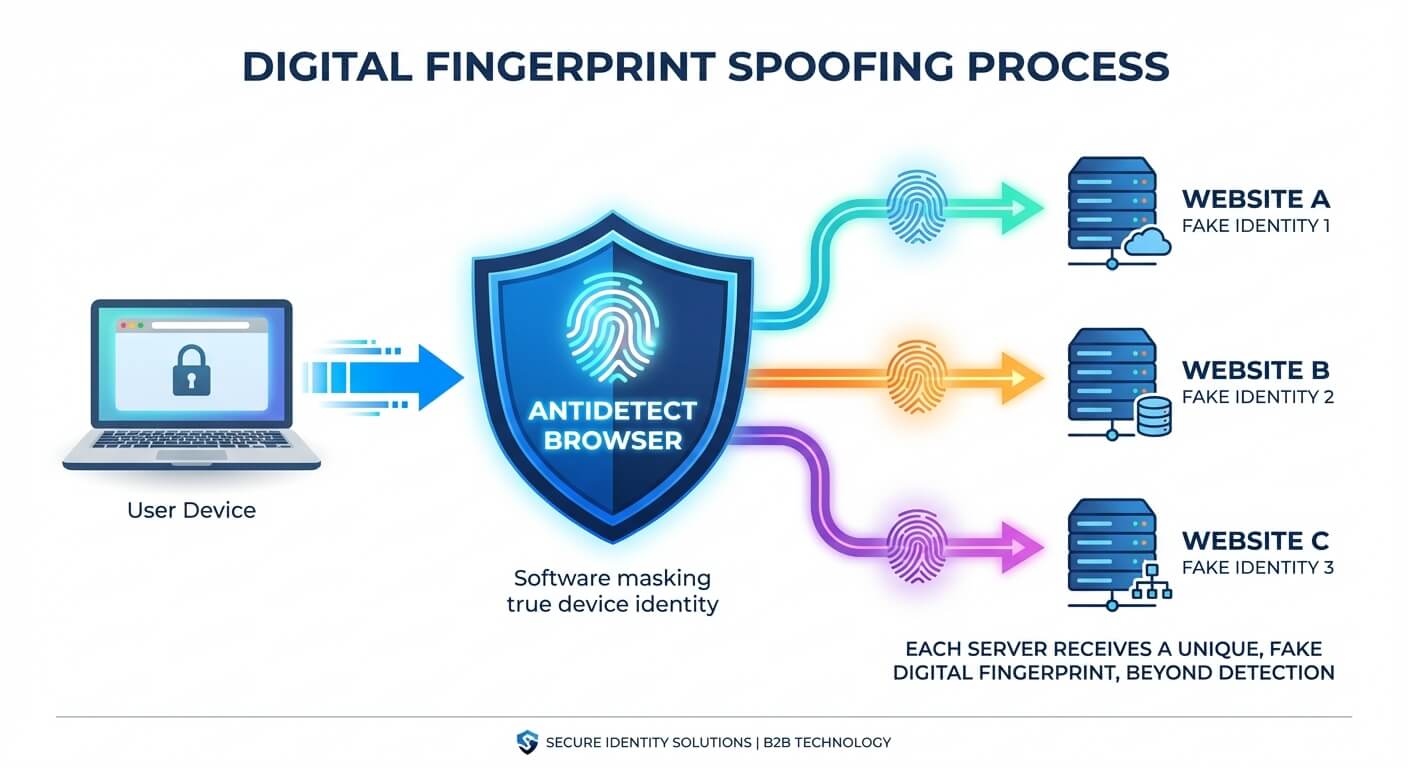
An Antidetect Browser (such as AdsPower, Multilogin, or Dolphin) is a specialized web browser built on Chromium or Firefox. Instead of trying to block websites from reading your data (which looks suspicious), it allows you to spoof (fake) the data.
When you create a "profile" in an antidetect browser, the software generates a completely unique, consistent digital fingerprint.
Here is how it masks your identity:
Fingerprint Substitution: It feeds fake, highly realistic Canvas and WebGL hashes to the website. Instead of your real NVIDIA GPU, the website thinks it is interacting with a standard Intel integrated graphics card.
Environment Isolation: Each browser profile operates in a strict sandbox. Profile A and Profile B have completely separate cookies, local storage, cache, and user-agent strings.
Proxy Integration: It forces each profile to route through a specific proxy, ensuring the time zone, WebRTC, and geolocation match the proxy's IP address flawlessly.
To the tracking algorithm, opening 50 profiles in an antidetect browser looks like 50 completely different people using 50 different computers in 50 different cities.

Compare: Antidetect Browsers vs. Cloud Phones in 2026
While antidetect browsers revolutionized multi-account management for web scraping and Google Ads, the landscape has shifted dramatically.
In 2026, social media platforms like TikTok, Instagram, and X (Twitter) are "mobile-first." They do not just rely on web fingerprints; they look for native mobile hardware telemetry.
If you attempt to run a TikTok matrix using an antidetect browser, you are relying on web emulation. TikTok's anti-bot system can easily detect that you are using a desktop browser pretending to be a mobile device, resulting in immediate shadowbans.
Here is an objective look at how the infrastructure has evolved:
Infrastructure | Execution Environment | Best Used For | Ban Risk on Social Media (TikTok/IG) | Cost |
|---|---|---|---|---|
Standard Browser + VPN | Local Desktop | Casual browsing | Guaranteed Ban (100%) | Free |
Antidetect Browser | Desktop Web Sandbox | Crypto airdrops, E-commerce stealth accounts (eBay/Amazon) | Very High (Platforms detect web emulation) | Low to Medium |
Cloud Phones (e.g., Jumei) | Native Android Hardware | B2B outreach, Social Media Matrices, App-based automation | Low (Provides authentic mobile telemetry) | Medium |
The Industry Pivot: Because of the high ban rates associated with web-based spoofing, professional growth teams are rapidly transitioning away from legacy tools. Understanding the fingerprint browser vs. cloud phone trend is critical.
Cloud Phones (Enterprise solutions like Jumei) do not spoof web data. Instead, they provide access to a remote, actual Android environment. The TikTok app is installed natively. The platform reads real battery levels, real GPS sensors, and real mobile network data. This fundamentally neutralizes the risk of emulator detection.
How to Set Up a Safe Multi-Account Architecture
If you are evaluating the best AdsPower alternative for social media operations, you must build a compliance-first architecture. Whether you use an antidetect browser for web tasks or Cloud Phones for mobile apps, the rules of isolation remain the same.
Step 1: Secure High-Quality Residential Proxies
A clean fingerprint is useless if your IP address is blacklisted. Datacenter IPs (like AWS or DigitalOcean) are flagged instantly. You must pair every single isolated profile or Cloud Phone with a dedicated static residential proxy. Ensure you avoid low-quality residential IPs that suffer from high rotation rates or DNS leaks.
Step 2: Establish a 1:1:1 Ratio
Never cross-contaminate your data. The golden rule of account survival is strict compartmentalization:
1 Account
1 Unique Device Fingerprint (or Cloud Phone instance)
1 Dedicated IP Address
Step 3: Pacing and Human-Like Behavior
Anti-fraud systems analyze how you act, not just what device you use. If your newly isolated account immediately sends 100 friend requests in five minutes, the algorithmic behavioral filters will trigger a manual review, and you will be banned regardless of your hardware security.
You must implement social media account survival strategies by warming up accounts slowly, watching content natively, and pacing your automated actions (like automated DMs or posting) to mirror human limits.
People Also Ask (FAQ)
Are antidetect browsers legal? Yes, antidetect browsers are legal software tools. They are widely used by cybersecurity professionals for penetration testing, QA engineers for cross-browser testing, and agencies managing multiple client accounts. However, using them to commit fraud or bypass specific terms of service may violate platform policies.
Can websites detect antidetect browsers? It depends on the quality of the browser and the sophistication of the website. Advanced platforms (like Facebook and Google) constantly update their scripts to detect inconsistencies in spoofed Canvas hashes or WebRTC leaks. This cat-and-mouse game is why many marketers prefer native Cloud Phones, which do not rely on spoofing.
What is the best antidetect browser alternative for TikTok? Because TikTok heavily penalizes web-based logins and browser emulators, the most effective alternative is utilizing isolated Cloud Phones (such as the infrastructure provided by Jumei). These provide a native Android environment, allowing you to run the actual mobile app rather than a web version, which drastically reduces shadowbans.
How do I test my current browser fingerprint? You can test your digital footprint using free online tools like BrowserLeaks, AmIUnique, or Cover Your Tracks (by the EFF). These sites will analyze your IP, WebRTC, Canvas hash, and User-Agent to show you exactly how unique (and trackable) your current setup is.
Final Thoughts: Choose the Right Tool for the Job
Antidetect browsers are brilliant pieces of engineering. If you are scraping Google search results, managing Amazon seller accounts, or handling Discord whitelists, they remain highly effective tools for web-based isolation.
However, if your goal is to manage multiple TikTok accounts, run Instagram DM automation, or dominate mobile-first platforms, spoofing a desktop web browser is no longer sufficient.
To future-proof your multi-account matrix in 2026, you must operate natively. By transitioning your infrastructure to isolated Cloud Phones, you provide the algorithms with exactly what they want to see: authentic, pristine mobile environments.