By now, if you've followed our previous guides, you already have OpenClaw running locally and seamlessly connected to your Telegram or Web UI. You've tasted the power of having a localized AI agent that can summarize local documents and execute basic terminal commands. But to truly unlock the "Agentic Workflow" potential of OpenClaw, you need to go beyond its default capabilities.
The real superpower of OpenClaw lies in its extensibility. Through the ClawHub ecosystem and its custom Skills architecture, you can teach your AI entirely new abilities. In this comprehensive, deep-dive 2000-word tutorial, we are going to build a highly requested, real-world utility: A Custom Web Scraping Skill for Automated B2B Lead Generation.
By the end of this guide, you will understand the anatomy of an OpenClaw Skill, how to bridge Python automation scripts with Large Language Models (LLMs), and how to command your AI to scour the internet, extract precise competitor pricing, or gather contact information—all through natural language.

1. The Evolution of Web Scraping: Why AI Agents Are the Future
Before we dive into the code, it is crucial to understand why we are integrating web scraping with an AI agent rather than just writing a traditional Python script using BeautifulSoup or Selenium.
The Problem with Traditional DOM Scraping
Historically, web scrapers relied on strict DOM (Document Object Model) parsing. You would inspect a webpage, find that the pricing data is hidden inside a <div class="price-box-v2">, and hardcode that exact class name into your script.
The fatal flaw? Websites change. The moment the target website pushes an update and changes the class to <div class="pricing-container">, your script breaks. It requires constant maintenance, patching, and developer intervention. Traditional scrapers are brittle and inherently stupid.
The AI Agent Advantage (Semantic Scraping)
When you arm OpenClaw with a web browsing skill, you fundamentally shift the paradigm from syntactic scraping to semantic scraping.
- Resilience to UI Changes: You don't tell OpenClaw to "find the text inside the div with class 'contact-email'". Instead, you prompt it: "Find the support email address on this page." The LLM reads the raw text of the page, understands the context, and extracts the email regardless of how the HTML is structured.
- Dynamic Navigation: OpenClaw can make decisions on the fly. If it hits a "Read More" button, an advanced skill can instruct the agent to click it before extracting the text.
- Data Structuring: An AI agent can instantly convert messy, unstructured paragraph data into perfectly formatted JSON arrays, ready for your CRM or database.
2. Anatomy of an OpenClaw Skill
In OpenClaw, a "Skill" (sometimes referred to as a Tool or Plugin) is the bridge between the AI's "brain" (the LLM) and its "hands" (the execution environment). To build a skill, you need exactly three components:
- The Tool Schema (JSON/YAML): A strict definition that tells the LLM what the tool does, what parameters it requires, and when to use it.
- The Execution Logic (Python): The actual code that runs on your machine when the LLM decides to trigger the tool.
- The Registration: Adding the tool to your
config.yamlso the agent loads it on startup.
3. Step-by-Step Tutorial: Building the "SmartScraper" Skill
Let's build a custom skill called smart_web_scraper. This tool will take a URL, fetch the HTML, strip away the noise (scripts, styles), and return the clean, readable text back to the LLM so it can answer your questions about the page.
Step 3.1: Defining the Tool Schema
Create a new file in your OpenClaw /skills/custom/ directory named smart_scraper.yaml. This file is basically the "instruction manual" for the AI.
name: smart_web_scraper
description: "Fetches the readable text content from any public URL. Use this tool when the user asks you to read an article, extract pricing from a website, or find contact information on a specific domain."
parameters:
  type: object
  properties:
    url:
      type: string
      description: "The fully qualified URL to scrape (must include http:// or https://)."
    max_length:
      type: integer
      description: "The maximum number of characters to return to avoid context window overflow. Default is 5000."
  required:
    - url
Notice how descriptive the description field is? The LLM uses this exact string to decide whether it should trigger your Python script or just chat with the user. Good prompt engineering here is critical.
Step 3.2: Writing the Python Execution Logic
Next, in the same directory, create the actual Python script: smart_scraper.py. We will use the requests library to fetch the page and BeautifulSoup to clean it up.
(Ensure you have installed the required libraries in your environment: pip install requests beautifulsoup4)
import requests
from bs4 import BeautifulSoup
import logging

def execute(url: str, max_length: int = 5000) -> str:
    """
    Executes the web scraping tool.
    This function is dynamically called by the OpenClaw Agent.
    """
    logging.info(f"[SmartScraper] Initiating scrape for: {url}")

    # We use a standard User-Agent to avoid basic bot-blocks
    headers = {
        'User-Agent': 'Mozilla/5.0 (Windows NT 10.0; Win64; x64) AppleWebKit/537.36 (KHTML, like Gecko) Chrome/120.0.0.0 Safari/537.36'
    }

    try:
        response = requests.get(url, headers=headers, timeout=10)
        response.raise_for_status() # Raise an exception for bad status codes

        # Parse the HTML
        soup = BeautifulSoup(response.text, 'html.parser')

        # Remove noisy elements that confuse the LLM
        for script_or_style in soup(['script', 'style', 'nav', 'footer', 'noscript']):
            script_or_style.decompose()

        # Get the clean text
        text = soup.get_text(separator=' ', strip=True)

        # Truncate to prevent LLM context window limits
        clean_text = text[:max_length]

        return f"SUCCESS. Extracted content: \n\n{clean_text}"

    except requests.exceptions.RequestException as e:
        logging.error(f"[SmartScraper] Failed to fetch URL: {e}")
        return f"ERROR: Could not fetch the website. Details: {str(e)}"
max_length? If you feed a massive 50,000-word HTML document into a local model like Llama3-8B running on a standard GPU, it will immediately crash due to Out-Of-Memory (OOM) errors or exceed its maximum token limit. Always sanitize and limit your data before returning it to the LLM.Step 3.3: Registering the Skill in OpenClaw
Finally, we need to tell OpenClaw to load this new skill. Open your main config.yaml file (the one in your root directory) and locate the skills section.
skills:
  enabled_default:
    - file_reader
    - system_monitor
  custom_skills_path: "./skills/custom"
  # Add your new skill here:
  enabled_custom:
    - smart_web_scraper
Restart your OpenClaw service or Docker container to apply the changes.
4. Real-World Test: Automated Lead Generation
Now comes the exciting part. Open your Telegram bot (or Web UI) and issue a complex, natural language command that utilizes your new skill.
Your Prompt:
"Use the web scraper to visit https://example-saas-company.com/about and https://example-saas-company.com/pricing. I need you to find the name of their CEO, their support email address, and the price of their Enterprise tier. Format the result as a strict JSON object."
Behind the Scenes (What the Agentic Workflow does):
- The LLM reads your prompt and recognizes it needs real-time internet data.
- It looks at its available tools and matches your request to the
smart_web_scraperschema. - It automatically generates the Python function call:
execute(url="https://example-saas-company.com/about"). - Your Python script runs, fetches the raw text, and returns it to the LLM.
- The LLM repeats the process for the pricing page.
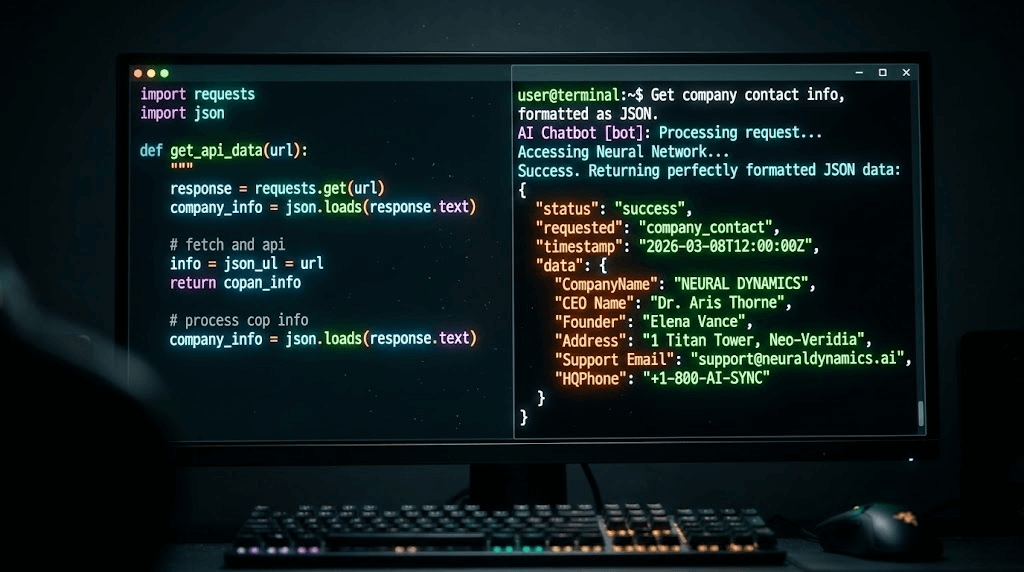
- Finally, the LLM uses its semantic understanding to scan the messy text, locate "John Doe", "support@...", and "$99/mo", and formats it perfectly into JSON.
You have just built an AI-powered data mining machine in less than 50 lines of code!
5. The Limitations of Local Scraping & The Enterprise Solution
While building a local OpenClaw scraper is a fantastic engineering exercise, you will hit a massive brick wall the moment you try to scale this for a real business.
Imagine you want your OpenClaw agent to scrape 5,000 competitor TikTok profiles daily, or automatically send Direct Messages (DMs) to newly generated leads on Instagram. If you run a Python requests script from your local home IP address, platforms like TikTok, LinkedIn, or Facebook will instantly detect the automated bot traffic and permanently IP-ban your network within minutes. Furthermore, complex sites use Cloudflare CAPTCHAs that simple BeautifulSoup scripts cannot bypass.
For B2B marketing, cross-border e-commerce, and heavy lead generation, serious agencies do not rely on local scripts. They upgrade to enterprise-grade infrastructure like the Jumei Matrix System.
Instead of battling CAPTCHAs and IP bans from a single desktop, Jumei provides dedicated ARM Cloud Phones. This means your automated tasks run on actual, physically isolated mobile device hardware hosted in the cloud.
When combined with Jumei's Social Media Automation suite, you can safely deploy automated agents across hundreds of accounts simultaneously. It allows you to execute large-scale multi-account matrix strategies—like bulk content publishing, automated user interaction, and private domain traffic diversion—without writing custom scraping scripts, and with a near-zero risk of account suspension.
6. Advanced Tips for OpenClaw Skill Developers
If you plan to continue developing custom skills for OpenClaw, keep these best practices in mind:
- Return Errors gracefully: Never let your Python script crash. If a website times out, catch the exception and return a string like
"Action failed: Timeout. Tell the user you couldn't reach the site."The LLM is smart enough to read the error and apologize to the user naturally. - Use Headless Browsers for SPAs: The
requestslibrary we used above cannot execute JavaScript. If you are scraping modern Single Page Applications (React/Vue), you will need to upgrade your skill to use Playwright or Puppeteer to render the DOM before extracting text. - Chain Skills Together: The ultimate goal is autonomy. You can build one skill that searches Google for leads, passes the URLs to the web scraper skill to find emails, and passes those emails to an SMTP skill to send automated outreach messages.
7. Frequently Asked Questions (FAQ)
requests script shown in this tutorial cannot bypass Cloudflare. For highly protected sites, you must integrate specialized residential proxy networks or third-party scraping APIs (like ScrapingBee or BrightData) into your Python execution logic. Alternatively, for social media platforms, using real mobile environments like Jumei's Cloud Phones is the only sustainable method.robots.txt and avoid scraping Personally Identifiable Information (PII).Ready to build more? Stay tuned for our next guide where we dive into chaining multiple OpenClaw skills to create fully autonomous background workers.