If you are running a TikTok or Instagram matrix in 2026, you already know that desktop-based antidetect browsers are obsolete. To survive mobile-first algorithms, growth teams migrated to cloud emulators and mobile profile managers like GeeLark.
For a time, these tools offered a convenient bridge between web browsers and mobile apps. However, as TikTok and Meta upgrade their anti-fraud systems to read deep, kernel-level hardware telemetry, matrices relying on standard cloud emulators are experiencing a massive spike in zero-view shadowbans and account suspensions.
Scaling an operation today requires transitioning from virtualized emulators to True ARM Cloud Phones. This guide explains how platforms detect cloud emulators, compares the technical infrastructure of GeeLark against native cloud phones, and outlines how to migrate your multi-account matrix safely using enterprise solutions like Jumei.
Why Cloud Emulators (Like GeeLark) Are Triggering Bans
To understand why you need an alternative, you must understand how mobile platforms audit devices.
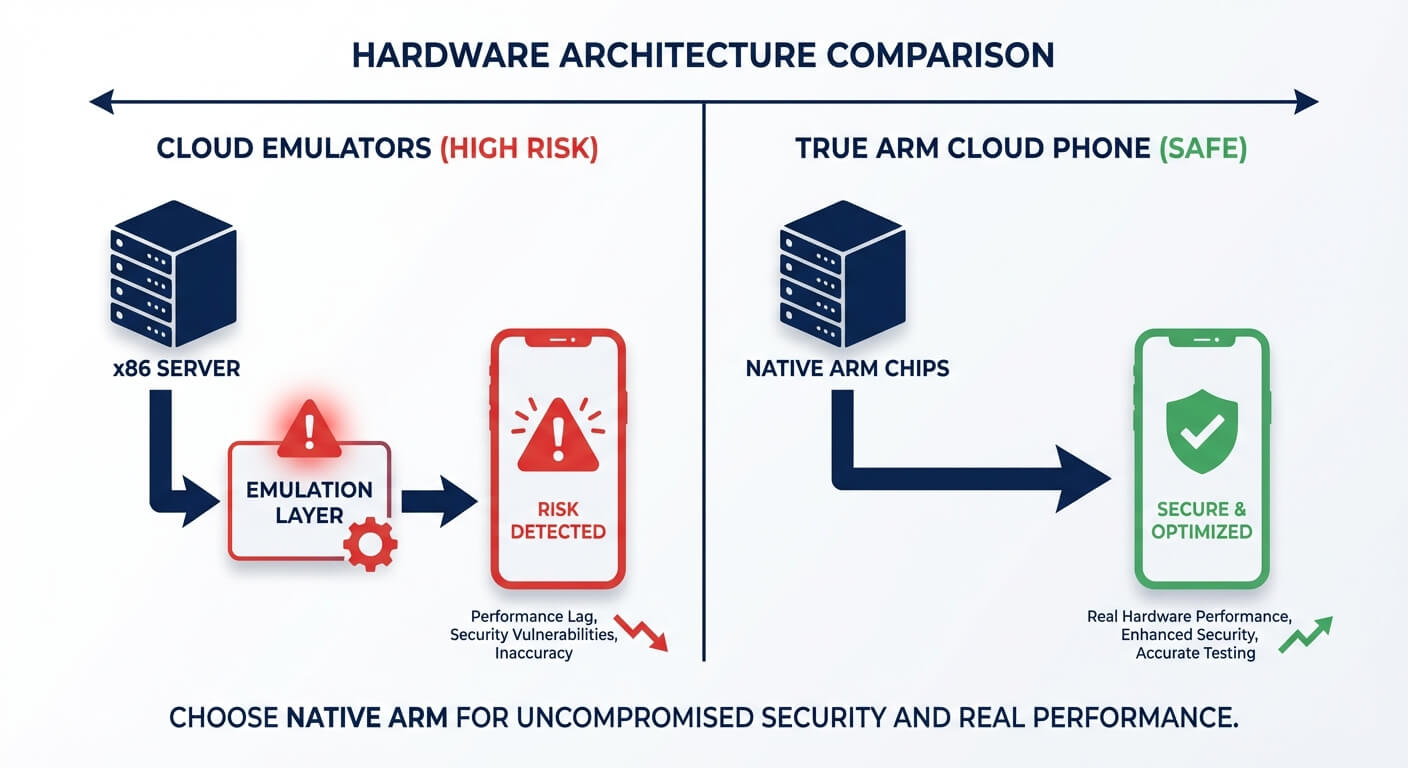
Tools like GeeLark operate by creating virtualized Android environments. While this is a massive step up from a Chrome browser extension, it still relies on software emulation running on standard x86 server hardware (like Intel or AMD processors found in data centers).
When a modern social media app launches, it runs a silent hardware diagnostic. Here is why emulated environments fail the compliance test:
CPU Architecture Mismatch: Native mobile apps are built for ARM architecture (the chips inside real smartphones). Emulators run on x86 servers and try to "translate" the ARM instructions. Sophisticated apps like TikTok can detect this translation layer instantly. If the app sees an x86 processor attempting to run native ARM code, it flags the device as an emulator.
Sensor Telemetry Absences: Real phones have micro-fluctuations in battery temperature, gyroscope data, and screen refresh rates. Virtualized environments often provide static, perfect, or completely missing sensor data.
Shared Cloud Footprints: Many entry-level cloud emulators pool resources. Even with unique residential IPs, the underlying server node might be shared, leaking virtualization artifacts (like specific hypervisor signatures) to the platform.
If you are struggling with these detection vectors, learning how to manage multiple TikTok accounts safely requires moving to an infrastructure that passes the hardware check by default.
Infrastructure Breakdown: Emulators vs. True Cloud Phones
The term "cloud phone" is heavily diluted. To protect your digital assets, you must differentiate between a software emulator hosted in the cloud and a True ARM Cloud Phone.
A True ARM Cloud Phone is a physical micro-server rack filled with actual mobile processors (ARM chips). There is no translation layer. The Android operating system runs natively on the exact hardware it was designed for.
Here is an objective comparison of how these infrastructures handle mobile matrices:
Feature | Cloud Emulators (e.g., GeeLark) | True ARM Cloud Phones (e.g., Jumei) | Physical Phone Farm |
|---|---|---|---|
Hardware Core | x86 Servers (Intel/AMD) | Native ARM Processors | Physical Smartphones |
Android Execution | Emulated / Virtualized | Native / Bare-Metal | Native |
Algorithm Ban Risk | Medium to High (Translation detected) | Low (Authentic hardware footprint) | Low |
Scalability & Automation | High | High (via API and Visual AI workflows) | Very Low (Manual labor heavy) |
Best Use Case | Entry-level testing, basic web apps | Enterprise B2B outreach, TikTok/IG Matrices | Local, small-scale operations |
The Enterprise Pivot: For agencies managing high-value affiliate accounts or B2B lead generation, the cost of an account ban far outweighs the operational savings of an emulator. This is why the industry is rapidly transitioning toward building a scalable cloud farm using native ARM infrastructure.
3 Reasons Teams Are Shifting to Native Cloud Phones (Jumei)
When evaluating a GeeLark alternative, you should look for systems that solve the hardware problem while retaining the convenience of cloud management. Here is why enterprise matrices choose platforms like Jumei.
1. Bare-Metal Hardware Spoofing
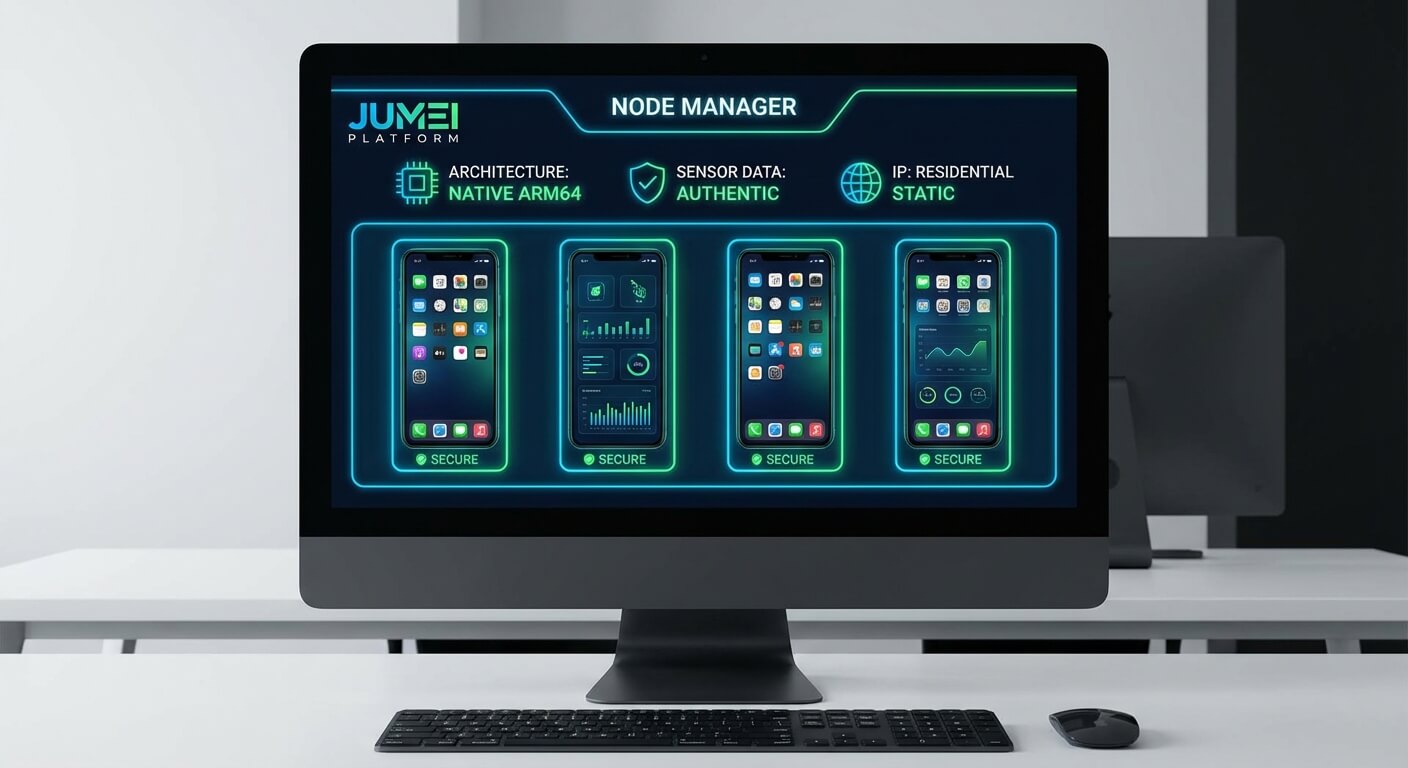
Instead of faking a mobile environment via software, Jumei allocates a dedicated ARM node to your instance. The TikTok app reads genuine CPU instruction sets, authentic battery states, and native GPU rendering. Because there is no emulation layer, the platform treats the session as 100% organic mobile traffic.
2. Private Deployment for Absolute Isolation
Public cloud emulators often assign IP addresses dynamically or share server subnets. For maximum safety, Jumei offers private cloud control deployment. This means the actual hardware nodes are isolated specifically for your operation. When combined with strict rules to avoid low-quality residential IPs, the risk of network-level cross-contamination drops to near zero.
3. Visual AI Agent Integration
Basic emulators allow you to run scripts, but scripts break when the app UI updates. Jumei integrates natively with Visual AI Agents. Instead of coding X/Y click coordinates, the AI "reads" the mobile screen, understands context, and executes human-like interactions (such as naturally scrolling, reading bios, and varying typing speeds).
Step-by-Step: Migrating Your Matrix Safely
If you are currently experiencing high ban rates on an emulator and need to migrate your accounts to a True Cloud Phone infrastructure, follow this strict protocol to avoid triggering suspicious login alerts.
Step 1: Export and Audit
Pause all current automation on your emulator. Export your account credentials and existing proxy data. Do not immediately log out, as sudden mass logouts can sometimes trigger security locks. Simply let the accounts rest for 24 to 48 hours.
Step 2: Provision ARM Nodes and IPs
Log into your cloud control system (like Jumei) and provision your ARM nodes.
Crucial Rule: You must assign a completely new, clean static residential proxy to each node. Do not reuse the proxy from your banned or flagged emulator environment, as the IP may already be tainted.
Step 3: The "Soft Login" Phase
Boot up the native Android environment on the Cloud Phone. Download the social media app directly from the official Google Play Store (do not side-load APKs if possible). Log into the account using manual typing.
Step 4: Implement a Re-Warm Protocol
Even though the account is aged, the platform will detect a new device login. Do not start posting or sending DMs immediately. For the first 3 to 5 days, instruct your Visual AI Agent to perform simple, low-velocity actions:
Scroll the "For You" page for 15 minutes a day.
Leave 1 or 2 organic likes.
Do not update the bio, change the profile picture, or post content. Let the algorithmic trust score stabilize on the new hardware footprint before resuming your standard workflow.
People Also Ask (FAQ)
Is GeeLark safe for TikTok matrices? GeeLark and similar cloud emulators are adequate for basic tasks or platforms with lower security thresholds. However, for highly aggressive algorithms like TikTok in 2026, the x86-to-ARM emulation layer is frequently detected, resulting in higher risks of shadowbans compared to native ARM cloud phones.
What is the best alternative to cloud emulators? The safest alternative to a software-based cloud emulator is a True ARM Cloud Phone (such as Jumei). These utilize physical mobile processors in a server rack, allowing the Android OS and apps to run natively without translation layers, providing a pristine, undetectable hardware footprint.
How do platforms detect cloud phones? Platforms cannot easily detect a native ARM cloud phone because the hardware telemetry matches a real mobile device. However, they can easily detect emulators by checking the CPU architecture (x86 instead of ARM), looking for hypervisor virtualization signatures, analyzing unnatural sensor data (perfectly flat battery temperatures), and flagging datacenter IP ranges.
Can I run automated workflows on True Cloud Phones? Yes. While you are operating on what is essentially physical mobile hardware, platforms like Jumei provide a centralized web dashboard. You can deploy Visual AI Agents to execute complex, multi-account workflows (like auto-publishing or contextual DMs) simultaneously across hundreds of isolated ARM nodes without writing any code.
Final Thoughts: Invest in Your Infrastructure
When an account matrix fails, teams often blame their content strategy or their proxies. In reality, the root cause is almost always an easily detectable hardware foundation.
Trying to trick a multi-billion-dollar AI algorithm with software emulation is a losing battle. By migrating from legacy cloud emulators to True ARM Cloud Phones, you remove the translation layer entirely.
Secure your baseline first. Provision a small batch of native ARM nodes, implement strict IP isolation, and observe the difference in account longevity. Once you prove the hardware safety, you can safely deploy your AI workflows and scale your matrix without the constant fear of sudden, network-wide bans.