The internet was designed for humans, not robots. For two decades, businesses have tried to bridge this gap with brittle scripts, expensive APIs, and complex integration tools like Zapier. But in 2026, a new paradigm has emerged that renders these old methods obsolete.
It is called Browser Use.
Browser Use is not just a Python library; it is a capability. It is the ability for an AI Agent to open a web browser, see the screen, and interact with any website exactly like a human employee would. No APIs required. No DOM selectors needed.
This guide is the definitive resource for CTOs and Operations Managers looking to deploy Autonomous Visual AI on top of Jumei's Secure Infrastructure. We will explore how to automate the un-automatable.
Why are APIs no longer the silver bullet for enterprise automation?
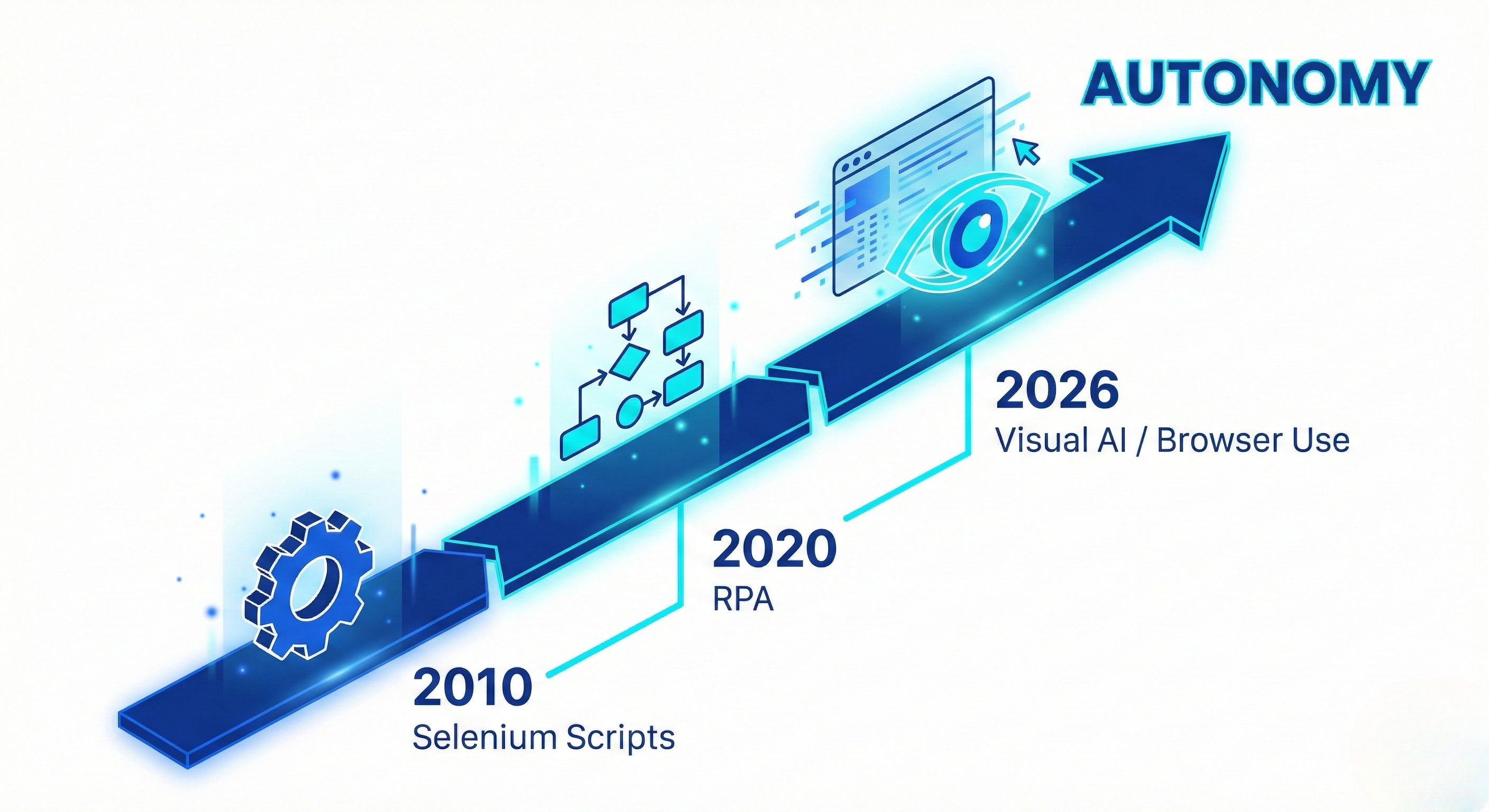
Why is "Browser Use" trending now? Because the "API Economy" is collapsing.
Major platforms like Twitter (X), Reddit, and LinkedIn have shut down their free APIs or priced them out of reach (e.g., $42,000/month for enterprise access). Simultaneously, SaaS tools are becoming more fragmented, creating data silos that don't talk to each other.
The Reality Gap:
-
The problem: You need data from Website A to go into Website B.
-
The old solution: Hire a developer to build a custom scraper (which breaks weekly) or pay for Enterprise APIs.
-
The 2026 solution: Deploy a Visual AI Worker via Promoi. It logs into Website A, copies the data visually, logs into Website B, and pastes it. It costs pennies and never breaks.
How does "Visual Perception" differ from traditional scraping?
Technically, "Browser Use" refers to the integration of Large Language Models (LLMs) with Headless Browsers via a Visual Interface. But unlike Selenium or Puppeteer, which rely on code selectors (div > span.class-name), Promoi's Visual Engine operates on pixels.
The "V-LAM" Loop (Visual Large Action Model):
-
Observe: The AI takes a screenshot of the current page.
-
Reason: The Vision Model (e.g., GPT-4o or Gemini 1.5 Pro) analyzes the image. It identifies elements by context: "That blue rectangle is the 'Save' button."
-
Plan: The AI formulates a plan: "I need to scroll down to find the table row for 'Q1 Revenue'."
-
Act: The AI sends a hardware command to move the mouse and click.
This architecture is resilient. If the website redesigns its layout, the AI simply "looks" for the button in its new location, just like you would.
Why do you need Jumei's Fingerprint Infrastructure for AI Agents?
You might be tempted to run Browser Use agents on your local laptop or a cheap VPS. Do not do this.
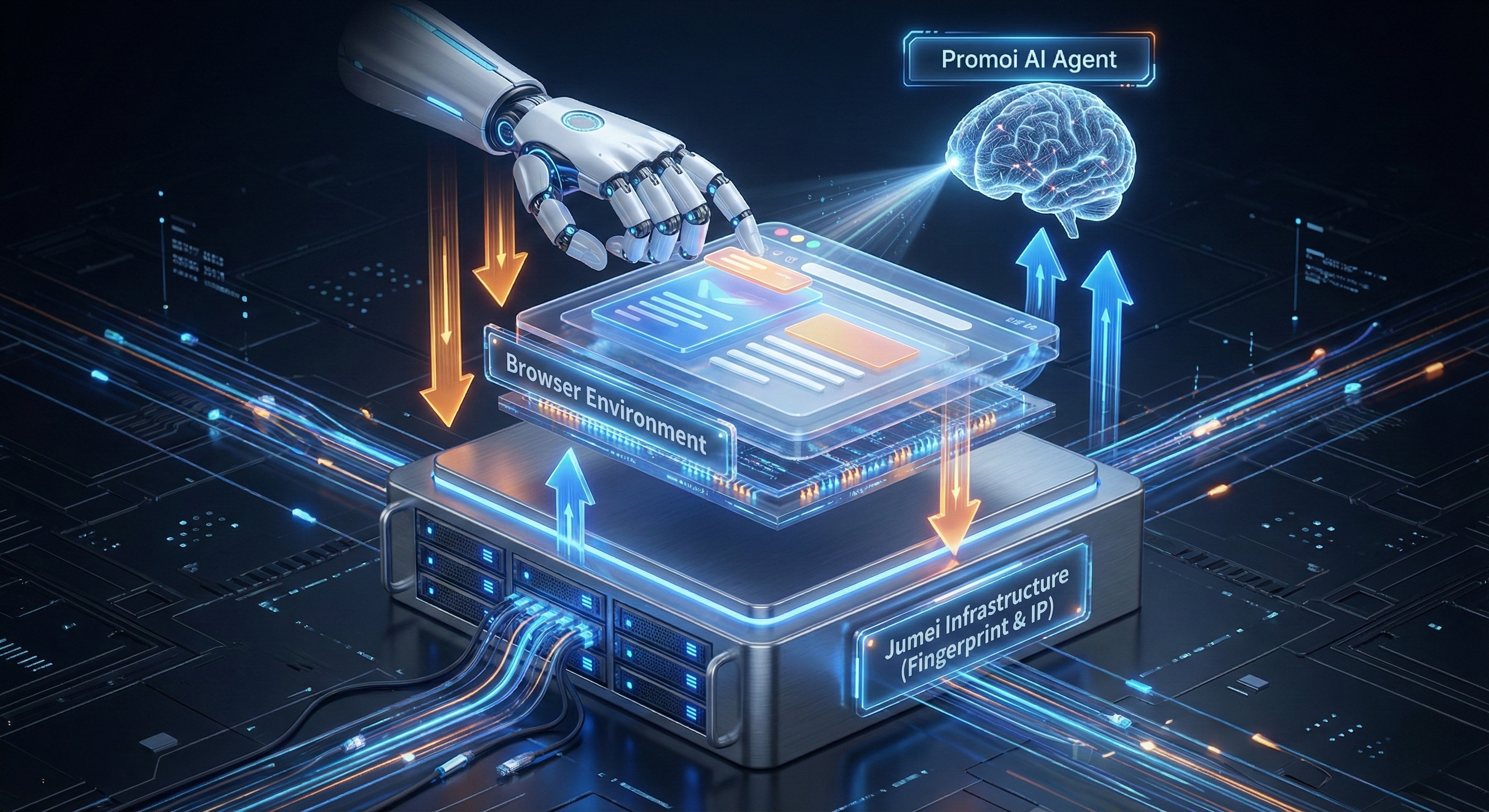
While the AI provides the "Brain," it needs a safe "Body." If you run an AI agent on a standard server IP with a headless Chrome instance, modern firewalls (Cloudflare, Akamai) will block you instantly.
You need Jumei's Fingerprint Browsers as the container:
-
Residential IP Binding: Jumei routes the browser traffic through high-trust residential ISPs (Verizon, AT&T), making the AI appear as a home user rather than a bot farm.
-
Canvas Noise Injection: Websites track your GPU rendering. Jumei alters the GPU rendering signature so that every AI agent looks like a unique physical computer.
-
Cookie Isolation: Each Browser Use session runs in a hermetically sealed profile. If one agent gets flagged, your other 99 agents are safe.
How can enterprises actually apply this technology in 2026?
Where are enterprises actually deploying this technology? Here are the top 4 use cases.
Case A: Competitive Intelligence (Price Monitoring)
-
Challenge: You want to track competitor pricing on Amazon/Walmart daily. Scrapers get banned.
-
Solution: A Jumei-hosted AI Worker visits the competitor site. It visually locates the price tag (even if the HTML class changes). It screenshots the price for verification and logs it to a spreadsheet.
Case B: Legacy System Automation
-
Challenge: Your company uses an old ERP system from 2005 that has no API.
-
Solution: Train a Promoi AI Agent to "click through" the legacy interface. It can process invoices, update inventory, or migrate data to a modern CRM 24/7.
Case C: Social Listening & Engagement
-
Challenge: You need to monitor brand mentions on Reddit and reply authentically.
-
Solution: The AI Agent browses relevant subreddits using Mobile Use technology. It reads the context of the thread and drafts a helpful reply (not spam) based on your brand guidelines.
Case D: Automated KYC & Due Diligence
-
Challenge: Fintech companies need to verify merchant business licenses on government websites.
-
Solution: An AI Worker navigates the government portal, solves the CAPTCHA visually, enters the business ID, downloads the PDF license, and uploads it to your internal server.
Is Browser Use better than RPA or Python scripts?
Let's compare the three dominant automation paradigms.
|
Feature |
Traditional Scraping (Python) |
RPA (UiPath) |
Browser Use AI (Jumei + Promoi) |
|---|---|---|---|
|
Setup Cost |
High (Dev Time) |
Very High (Licensing) |
Low (SaaS Model) |
|
Maintenance |
Daily (Code breaks) |
Weekly (Workflows break) |
Zero (Self-Healing) |
|
Anti-Bot Evasion |
Poor |
Medium |
Excellent (Visual + Fingerprint) |
|
Complexity |
High (Code) |
Medium (Low-Code) |
Low (Natural Language) |
⚠️ Warning: The "Headless" Trap Many developers try to use "Headless Chrome" for automation. This is a mistake. Websites can detect headless mode in 50ms. Always run your Browser Use agents in "Headful" mode (Visible UI) inside a Jumei Private Cloud environment to ensure maximum stealth.
How do you deploy your first Visual AI Agent?
Ready to start? Here is the deployment workflow.
-
Provision Infrastructure: Log in to Jumei and create a new "Fingerprint Browser Profile." Assign a US Residential Proxy.
-
Connect Intelligence: Log in to Promoi and select "New Browser Task."
-
Define the Mission: Type in natural language: "Go to LinkedIn, search for 'Marketing Directors in Austin', and export the top 10 names and companies to a CSV file."
-
Watch & Refine: Watch the live stream of the browser as the AI works. If it gets stuck, give it a correction prompt: "Click the 'See all people' button first."
-
Scale: Once the workflow is perfect, duplicate the Jumei profile 50 times to run 50 parallel agents.
FAQ: Mastering Browser Automation
Q: Is Browser Use slower than API automation?
Yes, significantly. But speed is a liability in 2026. APIs are fast but tracked. Browser Use operates at "Human Speed" (reading, scrolling, clicking), which makes it undetectable and safe for high-value accounts.
Q: Can I run this on my own servers?
Technically yes, but you will struggle with fingerprinting. Jumei provides pre-configured hardware-isolated environments that are optimized for AI agents, saving you months of DevOps work.
Q: Does this work for mobile apps?
Standard Browser Use is for web only. However, Jumei + Promoi offers a sister technology called Mobile Use which applies the same Visual AI logic to real Android devices for app automation.
The Web is Open for Business Again
Don't let API limits or anti-bot firewalls slow you down. Build your resilient, autonomous workforce today.
Start Automating with Visual AI | View Jumei Enterprise Plans