The Seller's Summary
- [!]The "Browser Limit": Shopee and TikTok Shop are mobile-first platforms. If you manage 50 stores solely via Chrome, you will face "M02 Errors" (Risk Control) when claiming vouchers or withdrawing funds.
- [+]App = Trust: The algorithm trusts the Mobile App far more than the Seller Centre Website. A clean device fingerprint (IMEI) is your best insurance against association bans.
- [$]Live Stream Automation: Cloud Phones aren't just for safety; they are for sales. You can use them to run 24/7 "Pre-recorded" Live Streams on TikTok Shop without keeping your PC on.
There is nothing more terrifying for a cross-border seller than the email: "Your account has been suspended due to suspicious activity."
It usually happens on a Friday night. Your funds are frozen. Your inventory is stuck. And customer service sends you a generic bot reply.
If you are running a "Store Matrix" (10, 50, or 100 shops) on Shopee, Lazada, or TikTok Shop, you are fighting a war against the platform's Risk Control AI.
For years, the weapon of choice was the Anti-Detect Browser (AdsPower, Purple Bird, etc.). It worked great for Amazon. But in 2026, sellers in Southeast Asia and LatAm are finding that browsers aren't enough.
Why? Because these marketplaces aren't like Amazon. They are Mobile Apps first, websites second.
If you try to run a mobile-first business from a desktop-only environment, you are painting a target on your back. This guide explores why 2026 is the year smart sellers move their infrastructure to Cloud Android Phones.
1. The "M02" Nightmare: Why Browsers Fail
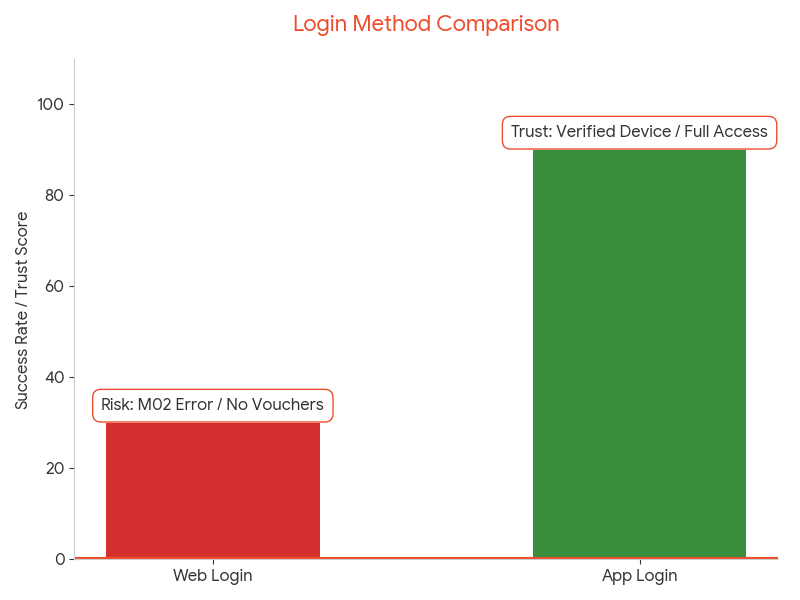
Let’s talk about the infamous Shopee M02 Error (or "Checkout Failed" on TikTok).
You have a clean IP. You have a clean Browser Profile. But when you try to:
1. Claim a Free Shipping Voucher
2. Place a "Brushing" order (Testing)
3. Withdraw your balance
...you get blocked. Why?
The "Mobile Token" Gap:
Shopee's security system requires a "Trusted Mobile Device" to authorize sensitive actions. When you log in via a browser, you get a "Web Token." It has low privileges.
To get a "High Privilege Token" (which allows withdrawals and vouchers), the platform demands telemetry data from a physical phone: Gyroscope, Battery Level, and Baseband Version.
The Verdict: Browsers are fine for uploading products. They are useless for account verification and high-trust actions.
2. Infrastructure: VPS vs. Browser vs. Cloud Phone
Sellers often ask: "What is the safest way to manage 50 stores?"
Let's break down the options in 2026.
| Method | Cost | Safety Risk | Mobile Features |
|---|---|---|---|
| Windows VPS | $10/mo | HIGH | None (Pure Desktop) |
| Anti-Detect Browser | $5/profile | MEDIUM | Fake (UserAgent Spoofing) |
| Moimobi Cloud Phone | $20/device | LOW (Native) | Full App Access |
The Moimobi Advantage:
Moimobi provides an isolated Android OS for every store.
Store A sees: "Device: Samsung S22, IMEI: ...8821, IP: Thailand ISP".
Store B sees: "Device: Pixel 6, IMEI: ...9934, IP: Vietnam ISP".
To Shopee or TikTok, these look like two completely different people living in two different countries. There is zero data leakage between the environments.
3. The Killer Feature: Automated Live Streaming
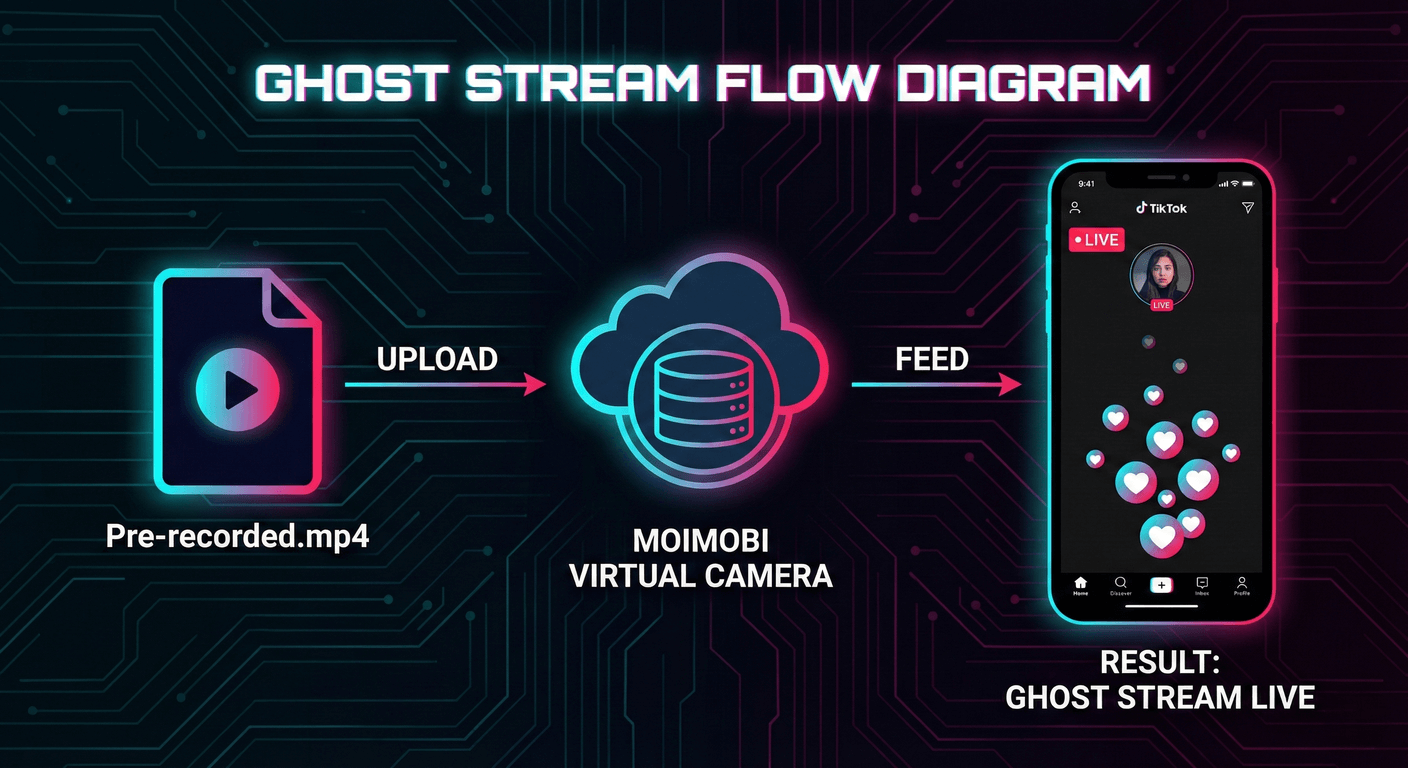
If you are doing TikTok Shop, you know that Live Commerce is where the volume is. But you can't be live 24/7... or can you?
The "Ghost Stream" Strategy:
Most sellers try to use OBS (Open Broadcaster Software) on a PC to loop pre-recorded videos. TikTok detects OBS signatures instantly and restricts traffic ("The 0-View Jail").
The Cloud Phone Solution:
With Moimobi, you use the "Virtual Camera" feature.
1. Upload your pre-recorded sales video to the Cloud Phone.
2. Set the "Camera Input" to play that video file.
3. Open the TikTok Seller App on the Cloud Phone and click "Go Live."
Why it works: TikTok checks the camera input. It sees the video coming from the Android Camera Hardware Layer (HAL). It doesn't know it's a file. It thinks you are filming with the phone camera.
Result: You get "Native Traffic" while you sleep. You can run 50 live streams simultaneously across 50 accounts.
4. Response Rate: Automating "Chat"
On Shopee and Lazada, Chat Response Rate determines your store rating and traffic. If you miss a message at 3 AM, your score drops.
The ADB Automation Fix:
You don't need a human to reply "Hi, the item is in stock."
You can write a simple Python script (via Moimobi API) that monitors the screen of your 50 cloud phones.
When it detects a "New Message" notification pixel:
1. It taps the notification.
2. It taps "Quick Reply".
3. It sends a pre-set welcome message.
This keeps your response rate at 100% and your shop "Active" 24/7, boosting algorithmic visibility.
5. The 7-Day "Store Warm-Up" SOP
Just bought a new "Local Shop" account? Don't upload 100 products immediately.
You need to simulate a real user/seller journey to bypass the initial fraud check.
The Moimobi Warm-Up Protocol
- Day 1:Login on Cloud Phone. Bind Mobile Number. Browse other shops for 10 mins. (Act like a buyer).
- Day 2:Set up Shop Profile (Logo, Banner, Bio). Verify ID (KYC) if required.
- Day 3:Upload 1 Product manually via the App (Not API, not Mass Upload). Take a real photo using the Virtual Camera.
- Day 4-6:"Decorate" the shop. Create a voucher. Join a campaign. (Show engagement).
- Day 7:Begin Mass Upload (via ERP) and start ads.
6. The IP Strategy: Local is Key
If you are selling in Thailand, your IP must be in Thailand.
But be careful.
Bad IP: "Bangkok Data Center" (DigitalOcean, AWS). Shopee knows these are servers.
Good IP: "Bangkok Residential" (True Internet, 3BB). These look like home Wi-Fi.
The Setup:
Moimobi allows you to bind a specific Static Residential SOCKS5 Proxy to each cloud phone.
Crucially, once bound, never change it. Shopee hates IP rotation. If your shop logs in from Bangkok today and Chiang Mai tomorrow, it triggers a security lock (OTP verify). Keep the IP static for the life of the shop.
7. The ROI: Is It Worth It?
Let's do the math on a 10-Store Matrix.
The "Cheap" Way (Browsers):
Cost: $50/mo.
Risk: High M02 errors. Vouchers blocked. Traffic capped.
Est. Revenue: $2,000/mo (due to limits).
The "Native" Way (Cloud Phones):
Cost: $200/mo (10 devices).
Benefit: Full voucher access. 24/7 Live Stream capability. Higher traffic weight.
Est. Revenue: $5,000/mo.
The difference isn't just safety; it's Capability. Being able to use mobile-exclusive features (like TikTok Shop Live) creates revenue streams that browser users simply cannot access.
8. FAQ
A: Yes. A Cloud Phone is a full OS. You can install Shopee, Lazada, and TikTok Shop on the same instance, provided they are all for the same market (e.g., Vietnam). This maximizes your hardware ROI.
A: Yes. You can set the GPS location of the cloud phone to match your "Return Address." If your warehouse is in Jakarta, set the GPS to Jakarta. This prevents "Distance Mismatch" flags when arranging logistics.
A: You simply Reset the cloud phone. This generates a completely new Device ID (IMEI/Android ID). It's like throwing away a physical phone and buying a new one, but it takes 10 seconds and costs nothing.
Protect Your Revenue
Don't let a random "M02 Error" freeze your cash flow. Build a native, isolated mobile infrastructure for your stores.
Deploy 10 Store Nodes ($19.9/mo)