Quick Decision Guide
- [?]Is a VPN enough? Honestly, yes—if you just need to browse a foreign website, watch Netflix, or do basic competitor research on desktop.
- [!]When does it fail? The moment you touch a mobile app (TikTok, Banking, Ad Testing). Apps see your GPS, Sensors, and Carrier Data, and a VPN simply can't hide that.
- [+]The Only "Safe" Option: Remote Android Devices (VMI) place a real, isolated phone environment in the target country. It's the only way to be 100% sure you aren't seeing cached or fake data.
If you manage a global team, run ads overseas, or test apps for international markets, you’ve probably had this budget debate:
"Do we really need to pay $30 a month for a cloud phone? Can't we just buy a $5 VPN subscription and call it a day?"
It’s a valid question. For the past decade, the VPN was the "Swiss Army Knife" of global operations. You turned it on, selected "London," and suddenly the internet believed you were British. It was cheap, accessible, and generally worked.
But as we settle into 2026, you might have noticed something annoying.
You turn on your VPN to check your TikTok ads in Brazil, but you still see content from your home country. You try to create an Instagram account for a client in Japan, and it gets flagged for "Suspicious Activity" instantly. You test your app's "Near Me" feature, and it shows restaurants in your actual city, not the VPN location.
It’s not that your VPN is broken.
It just stopped being enough — and most people don’t realize it until something breaks.
In this guide, we’ll look at why VPNs are struggling in 2026, and help you decide if you can stick with them—and when it's critical to upgrade to a Remote Android Device.
1. The "It Looks Fine" Trap (Why VPN Testing Often Lies to You)
Have you ever checked a localized landing page using a VPN, thought "everything looks good," and then found out weeks later that real users in that country were seeing a broken page or the wrong currency?
This happens because of a technology called Sensor Fusion.
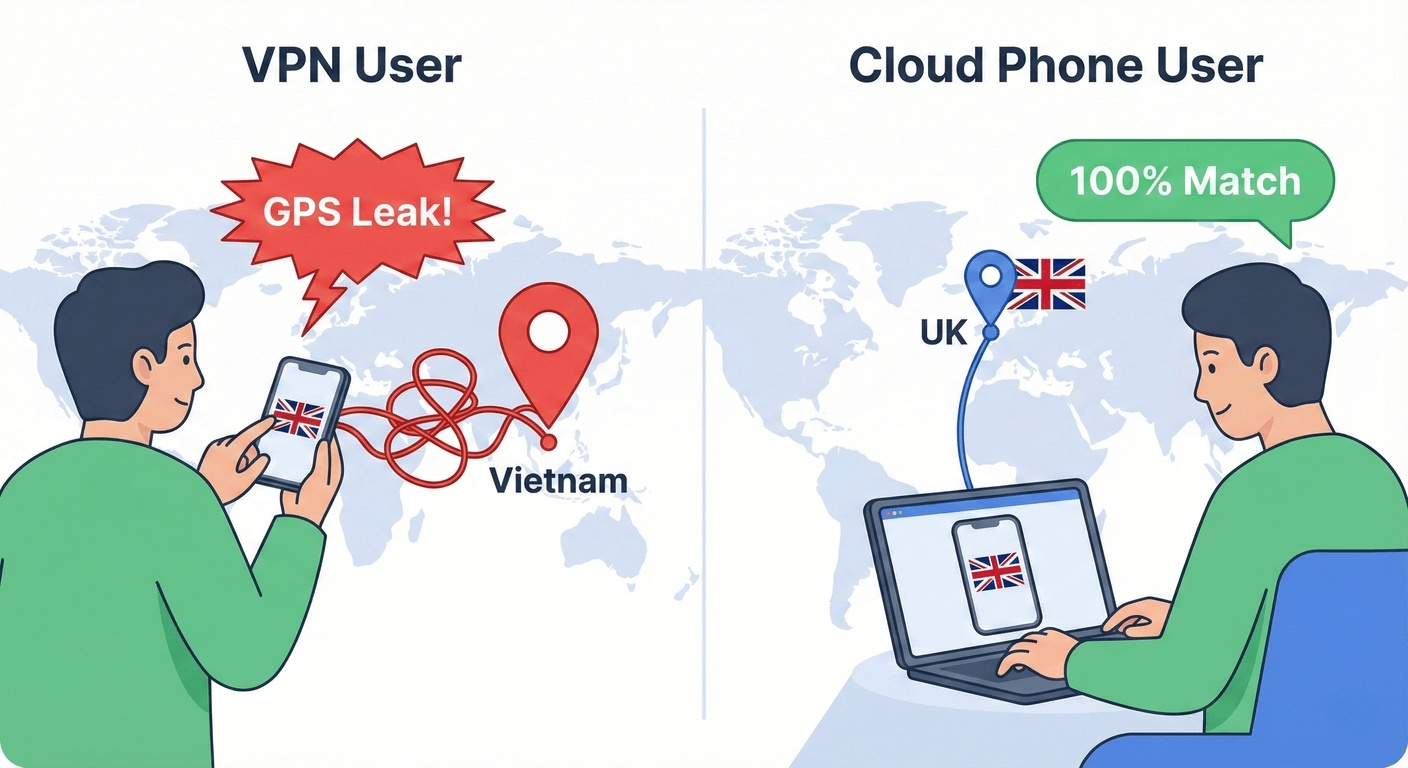
A VPN only changes your IP address. That is Layer 3 (Network). It ignores the physical reality of the device itself.
Modern apps don't trust your IP anymore. Frankly, they haven't for a while. They cross-reference it with hardware data. They ask: "Okay, your IP says New York, but what does the rest of the phone say?"
| What the App Sees | Using a VPN | Using a Remote Device |
|---|---|---|
| IP Address | ✅ New York | ✅ New York |
| GPS Location | ❌ Real Location (Leak) | ✅ New York (Simulated) |
| System Timezone | ❌ Manual change needed | ✅ Auto-Sync |
| Carrier (SIM) | ❌ Local Carrier | ✅ Virtual / Null |
| Wi-Fi SSID | ❌ "Office_Wifi" | ✅ Virtual Ethernet |
The Triangulation Failure:
If your IP is in New York, but your GPS says London, and your phone connects to a Wi-Fi network named "Starbucks_London," the app knows you are lying.
Instead of blocking you outright, many apps (like Google Ads or TikTok) simply shadowban you. They show you a generic "fallback" version of the content. You think you are seeing the local ad, but you aren't. You are making business decisions based on False Negative Data.
2. The Hidden Leaks: WebRTC and Passive Fingerprinting
"But I turned off my GPS!" you might say.
It's not enough. Even with GPS off, a VPN running on your local phone leaks data through side channels.
The WebRTC Leak
WebRTC is a protocol used for real-time video and voice (like Zoom or Google Meet). To work fast, it needs to know your real local IP address to establish a peer-to-peer connection.
Many mobile browsers and apps will bypass the VPN tunnel to query your local network interface directly. A sophisticated ad network can query WebRTC and see your real ISP IP in milliseconds, ignoring the VPN completely.
Passive OS Fingerprinting (p0f)
This is where it gets scary.
If you are running an Android Emulator on your Windows PC and using a VPN, the network packets you send have a specific structure (TCP Window Size, TTL).
A server can look at these packets and say: "This UserAgent claims to be an Android Phone, but the TCP packet structure is clearly Windows 11."
Mismatch = Bot.
The Moimobi Advantage:
A Remote Android Device runs on a native Linux/Android kernel. There is no spoofing. The network packets, the OS structure, and the browser environment are genuinely Android. There is no discrepancy to detect.
3. Use Case: Global Ad Verification & Fraud
If you work in Ad Tech or Affiliate Marketing, you know about "Cloaking."
Fraudsters are smart. They know that ad reviewers use VPNs and Datacenter IPs. So, they write scripts:If IP_Type == 'Datacenter' OR Timezone_Mismatch == True: Show Safe_Page.htmlElse: Show Malware_Page.html
When you check the ad with your VPN, you see a clean, safe landing page. You approve the campaign.
When a real user clicks the ad, they get sent to a crypto scam or a gambling site.
To catch a fraudster, you must look like a victim.
You need a device that is indistinguishable from a real user's phone. A Remote Android Device hosted on a residential network backbone appears as a standard mobile device. It passes the "Cloaking" filters, allowing you to see the real landing page that your customers are seeing.
4. Use Case: QA and Network Simulation
For App Developers and QA teams, the challenge isn't just location—it's condition.
You built an app for the Indian market. You are testing it on high-speed Wi-Fi in Silicon Valley. It feels smooth.
But users in rural India are complaining that it crashes. Why?
A VPN slows down your speed, but it doesn't simulate Packet Loss or Jitter.
Virtual Mobile Infrastructure (VMI) Capabilities:
With a Moimobi Cloud Phone, you can apply Network Conditioning at the hypervisor level. You can say:
"Simulate a 3G Network with 300ms latency and 2% packet loss."
You can watch how your app handles timeouts, retries, and image loading in real-time under poor conditions. This is impossible with a simple VPN.
5. The Logistics Nightmare: Shipping vs. Streaming
Let's talk about the physical alternative.
If you need to test an app on a Samsung S24 in Germany, and you are in the US, the old-school way is to buy the phone and ship it to a tester in Berlin.
The Cost of Physical Testing
- Hardware Cost: $1,000 per device.
- Shipping & Customs: $150 + 2 weeks delay.
- Device Fragmentation: You need to buy 10 different phones to test different Android versions.
- Security Risk: What if the device is lost or stolen with your unreleased app on it?
The VMI Solution:
You spin up a Moimobi instance in the "Germany" region. You select "Samsung S24" and "Android 14" from the menu.
Time taken: 2 minutes.
Cost: Subscription based (OpEx).
When you are done, you delete the instance. No e-waste, no shipping labels.
6. Data Sovereignty: The GDPR Trap
This is a point often missed by CTOs. If you are dealing with European user data (GDPR), Data Residency matters.
Scenario: A German company hires a QA team in India.
If the Indian team uses a VPN to access the German backend, they are pulling data from Germany to their physical screens in India. The data has crossed borders. This can be a compliance headache.
The Cloud Solution:
The Indian team connects to a Moimobi Cloud Phone hosted in a Frankfurt Datacenter.
They view a video stream (pixels) of the data. The actual application data (user names, database queries) stays on the server in Frankfurt. It is processed in Germany and displayed in Germany.
Technically, the sensitive data never leaves the EU jurisdiction. This architectural distinction can save legal teams hundreds of hours of paperwork.
7. Why AI Agents Don't Work Well with VPNs
This is the trend defining 2026. Companies are deploying Autonomous AI Agents to handle customer support, social engagement, and market research.
An AI Agent isn't a human. It works 24/7. It requires stability.
The Instability of VPNs:
VPN connections drop. IPs rotate unexpectedly. Every time a VPN reconnects, it might trigger a "New Login" alert on the platform you are managing.
For an AI, this is fatal. If TikTok asks for an SMS verification code because the IP changed mid-session at 3 AM, your AI agent is stuck. It can't pull a phone out of its pocket to check the code.
The "Always On" Advantage:
A Remote Android Device is a persistent environment. Once you log in, it stays logged in—days or even weeks later. Your AI agent can wake up, connect via API, do its job, and go back to sleep without fighting a login screen every time.
8. The "Bring Your Own Device" (BYOD) Risk
Let's talk about something boring but dangerous: Employee phones.
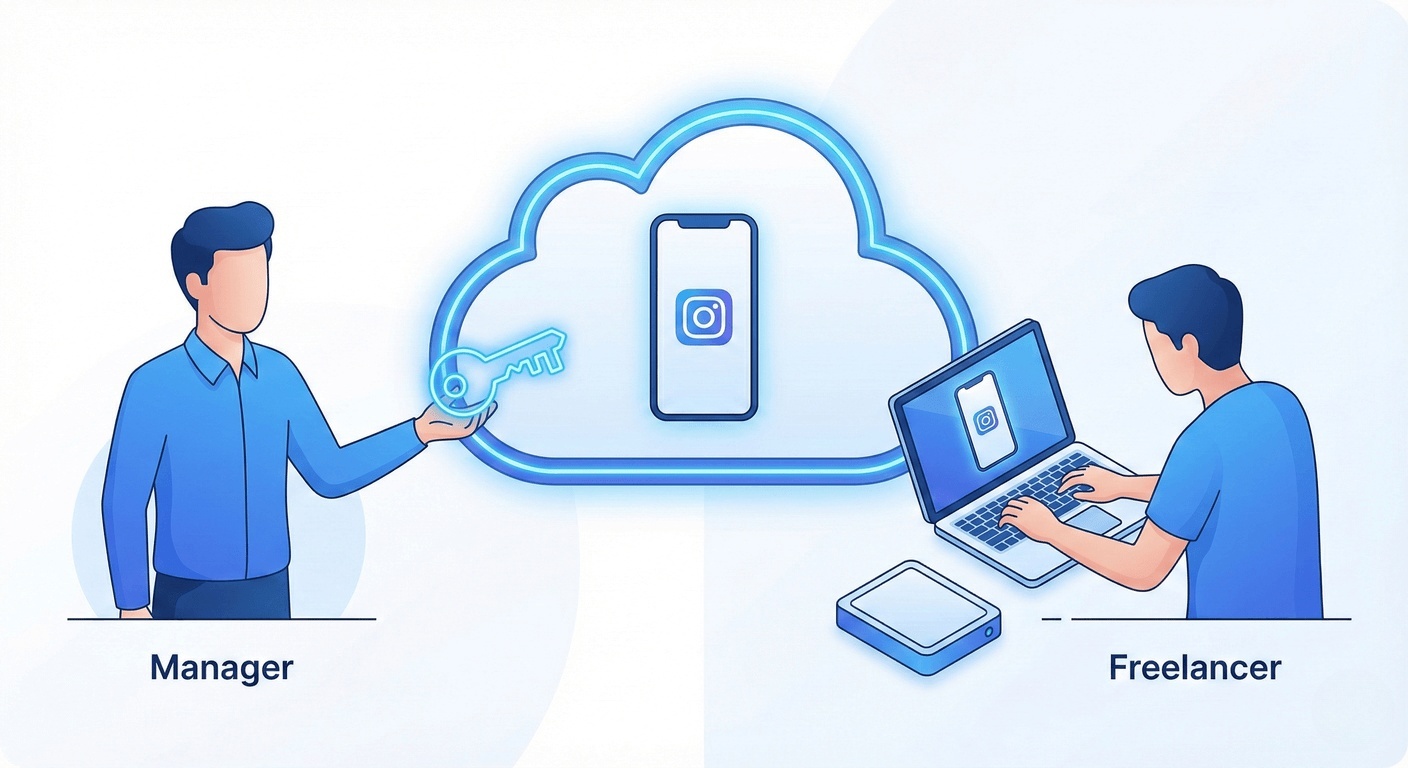
If you hire a freelancer in the Philippines and give them a VPN to manage your corporate Instagram, the password lives on their phone.
- If they quit, they still have the data.
- If they get hacked, you get hacked.
- If they download your customer list, you can't stop them.
The Better Way (Zero Trust):
With a Remote Device, the phone lives in the cloud. You log in once. You give the freelancer access to control the screen, but they never see the password.
File transfer is disabled by default. They can operate the account, but they cannot exfiltrate data. If they leave, you just click "Revoke Access." This is standard for enterprise-grade security.
9. Who can still get away with using a VPN?
Let's be real about the price.
- VPN: ~$5 - $10 / month
- Remote Cloud Phone: ~$20 - $30 / month
Who should stick with a VPN?
Solo founders, casual researchers, or anyone whose business doesn't die if an account gets flagged. If you just need to check a competitor's website text (and don't care about the ads they show), a VPN is perfectly fine.
Who needs a Remote Device?
If you manage client money, verify ads, or run multiple regional accounts, the extra $15 is basically insurance.
Think about it: How much does it cost you if your main ad account gets banned for 3 days because of an IP mismatch? Or if you ship a buggy app update because your VPN testing was inaccurate?
In the enterprise world, Accuracy is cheaper than Correction.
10. FAQ
A: For simple browsing, yes. For managing sensitive accounts (TikTok, Facebook Ads) or testing geo-specific apps, a VPN is risky because it leaks GPS and sensor data. The platform can see you are "spoofing."
A: Not if you are managing client assets. If you are just a solo dev testing an app, maybe. But if you have multiple people needing access to the same OTP-protected account, a cloud phone is actually the simplest way to share access securely without sharing passwords.
A: No. If you can use a normal Android phone, you can use a Moimobi Cloud Phone. It just opens in your browser window like a video stream.
A: Yes. Moimobi provides "Non-Rooted" images that pass Google's SafetyNet and Play Integrity checks, allowing banking and fintech apps to run without detecting "tampering."
Stop Guessing with VPNs
Get a dedicated, accurate Android environment for your global work.
Try a Remote Device ($19.9/mo)