
The QA Lead's Summary
- [!]Emulators Lie: They run on x86 CPUs and lack real sensors. They cannot replicate bugs caused by Samsung's OneUI memory management or Xiaomi's battery optimization.
- [+]The "Fragmentation" Tax: Android isn't one OS. It's thousands of variations. Testing on one Pixel device covers less than 2% of the market. You need a matrix.
- [$]The Solution: Don't buy 50 phones. Build a Private Device Cloud using Moimobi. Integrate it with Jenkins/GitLab to run automated UI tests on real ARM hardware every commit.
There is a phrase that every Senior Android Developer hates hearing from a Junior:
"But it works on my emulator."
In 2026, shipping an app that was only tested on an emulator is professional malpractice. It’s like testing a Ferrari engine in a Honda Civic and saying "it runs."
The Android ecosystem is more fragmented than ever. We have foldables, tablets, notch displays, punch-hole cameras, and aggressive custom ROMs (MIUI, ColorOS, OneUI).
If you release an update that crashes on Samsung devices (30% of the market) because of a specific Exynos chipset quirk that your Intel-based emulator couldn't reproduce, you don't just lose users. You lose your job.
This guide is for the Engineering Leaders who are tired of "hotfixing" production bugs on Friday nights. It’s time to move from "Emulator Hope" to "Real Device Certainty."
1. The Hierarchy of Truth: Emulator vs. Real Device
Let's get technical. Why exactly do emulators fail?
Most developers treat Android Studio's AVD (Android Virtual Device) as "good enough." It isn't.
| Layer | Emulator (AVD) | Cloud Real Device (Moimobi) |
|---|---|---|
| CPU Arch | x86 (Intel/AMD) | ARM64 (Native) |
| Rendering | OpenGL Translation | Native GPU Drivers |
| Network | Localhost Bridge (Perfect) | Real Cellular Simulation |
| Sensors | Null / Mocked Data | Real / Simulated Jitter |
| OS Flavor | Vanilla Android (AOSP) | OEM ROMs (Samsung, etc.) |
The "Instruction Set" Trap:
Many native libraries (especially in crypto, banking, and gaming apps) use NDK code written in C++. If you test this on an x86 emulator, the system uses a "Translation Bridge" (like libhoudini).
Result: The app runs fine on your PC. But on a real ARM phone, a memory pointer error causes a Segmentation Fault (Crash) instantly.
2. The "Fragmentation Hell" (OEM ROMs)
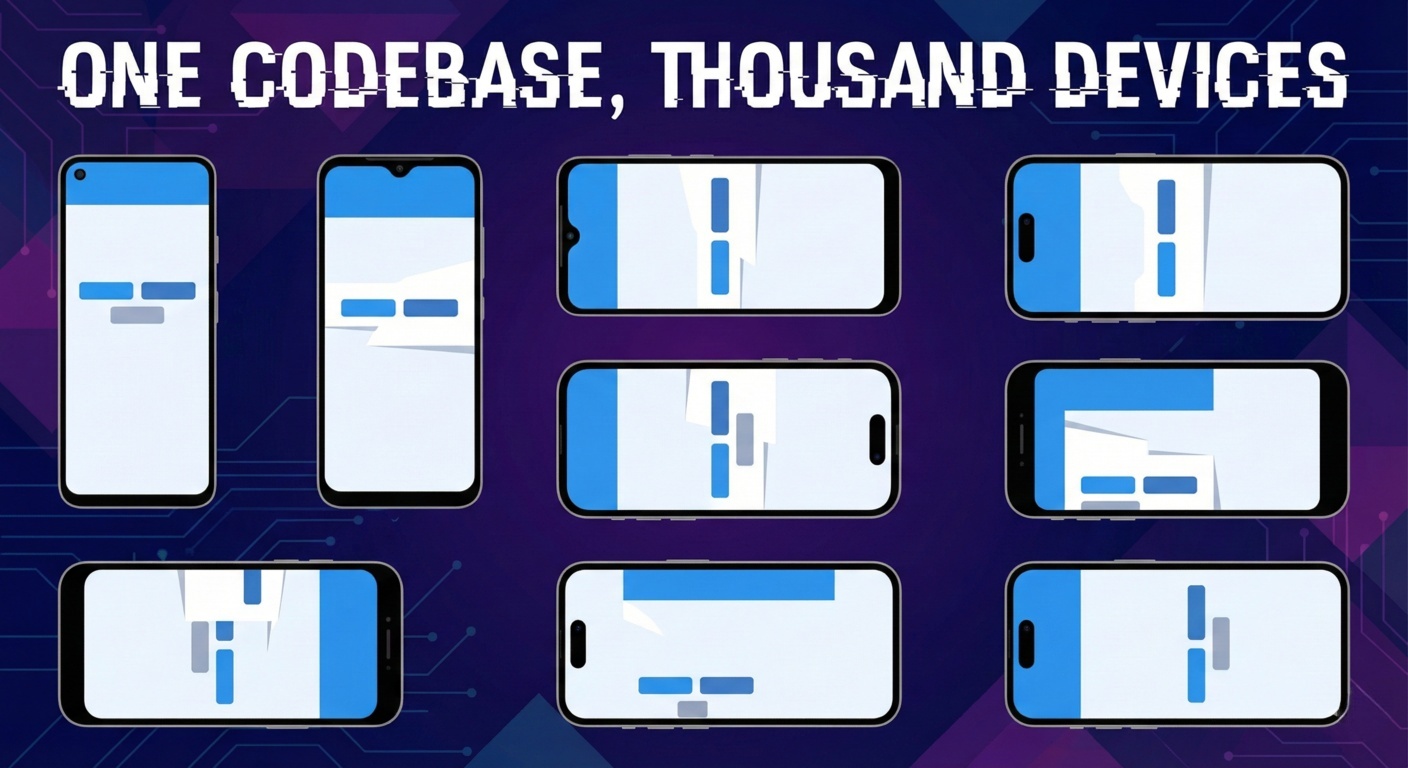
Google makes Android, but Samsung, Xiaomi, and OPPO change it.
The "Battery Saver" Bug:
You wrote a background service to sync data. It works on the Pixel Emulator (Vanilla Android).
But Xiaomi's MIUI has an aggressive battery killer. It kills your service after 5 minutes. Your users complain "The app stopped working."
You cannot test this on an emulator. You can only test this on a device running the MIUI ROM.
The "Notch" Bug:
Your UI looks beautiful on a 16:9 screen.
On a Samsung S24 Ultra with a punch-hole camera and curved edges, your "Submit" button is hidden behind the status bar.
The Solution: The Matrix Strategy
You need to test on the "Top 10 Global Devices."
With Moimobi, you can spin up 10 different instances:
- 3x Samsung (S22, S23, S24)
- 2x Xiaomi
- 2x Pixel
- 3x Generic Low-End (for performance testing)
3. DevOps: Integrating Cloud Phones into CI/CD
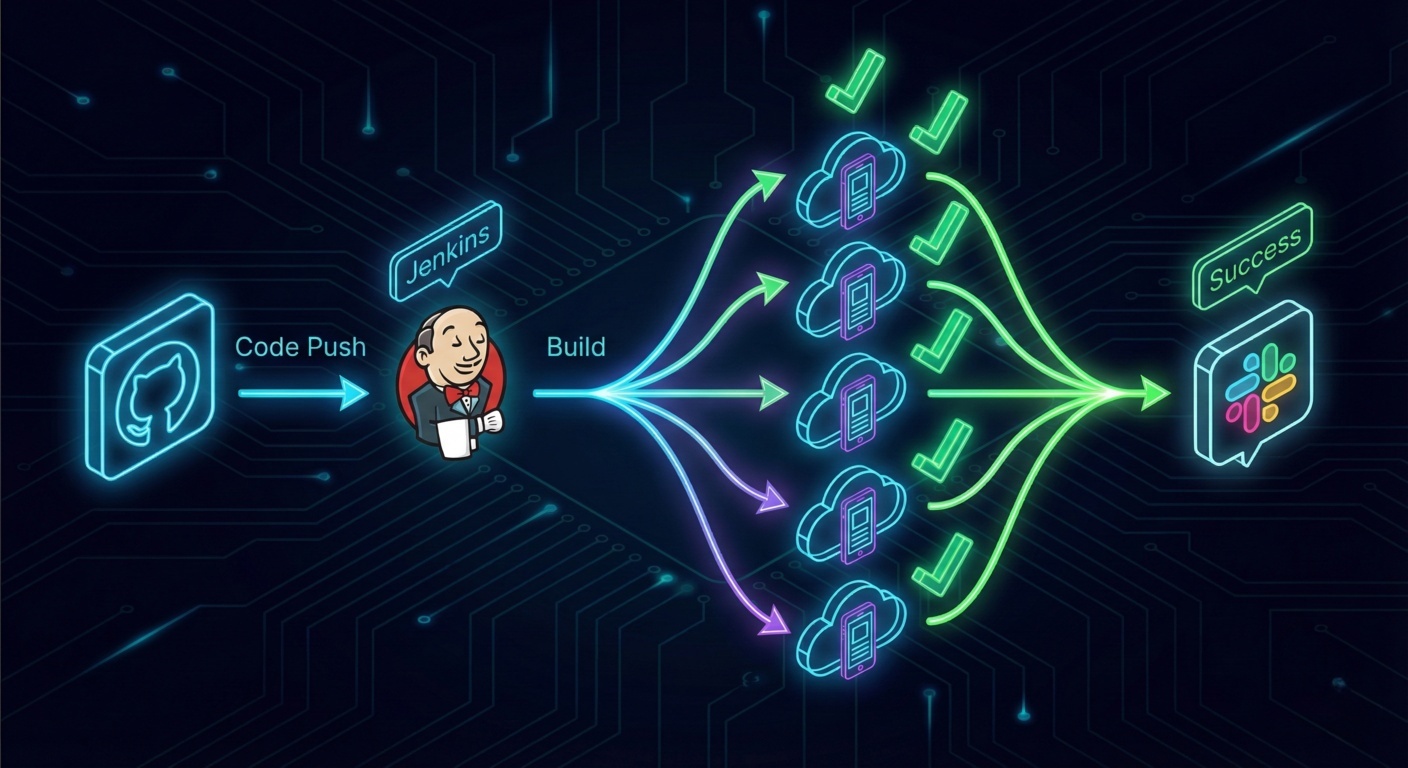
Manual testing is slow. We want Continuous Integration.
Imagine this workflow:
1. Developer pushes code to GitHub.
2. Jenkins builds the APK.
3. Jenkins calls Moimobi API to spin up 5 Cloud Phones.
4. Jenkins pushes the APK to all 5 phones via ADB.
5. Appium runs the UI Test Suite.
6. Results are posted to Slack.
The Code Snippet (Python + ADB)
Here is how you control the deployment programmatically:
import requests
from ppadb.client import Client as AdbClient

# 1. Get Device Endpoints from Moimobi API
response = requests.get("https://api.moimobi.com/v1/my_devices", headers={"Auth": "KEY"})
devices = response.json()['active_devices']

# 2. Connect via ADB
client = AdbClient(host="127.0.0.1", port=5037)

for dev_info in devices:
    print(f"Deploying to {dev_info['model']}...")
    device = client.remote_connect(dev_info['ip'], dev_info['port'])

    # 3. Install New Build
    device.install("build/app-release.apk")

    # 4. Launch App for Testing
    device.shell("monkey -p com.myapp.beta -c android.intent.category.LAUNCHER 1")

    print("Test Started.")
This setup replaces the need for a physical "Device Lab" (a closet full of phones that are always out of battery).
4. The "Subway" Test: Network Conditioning
Most devs test on office Wi-Fi (1Gbps). Their users are on 4G in a crowded subway (2Mbps).
Why Apps Fail in the Wild:
- Race conditions when API calls are slow.
- Images loading halfway and breaking layout.
- Infinite spinners.
Simulating Reality:
Moimobi Cloud Phones allow for Network Throttling. You can degrade the connection on specific instances to simulate:
- 3G HSPA+ (High Latency)
- Edge (Packet Loss)
- Network Switch (Wi-Fi to 4G handoff)
If your app handles these transitions gracefully on the cloud phone, it will handle them gracefully in the real world.
5. ROI: Build vs. Buy vs. Cloud
Let's look at the costs for a mid-sized Dev House needing 20 test devices.
| Model | Cost (Year 1) | Pros | Cons |
|---|---|---|---|
| Physical Lab | $15,000+ | Touch feel | Maintenance, Theft, Deprecation |
| SaaS (BrowserStack) | $12,000+ | Huge device list | Slow, Web-based, Shared devices (Queue) |
| Moimobi Private Cloud | ~$4,800 | Dedicated, Fast ADB, Root access | Video stream latency |
The Hidden Savings:
With Moimobi, you don't pay "Per Minute" of testing. You pay for the Dedicated Slot.
You can run tests 24/7/365. You can leave the app open for a week to test memory leaks. You can't do that on shared SaaS platforms that time you out after 15 minutes.
6. Security: No More "Lost Prototypes"
For Enterprise clients, physical test devices are a security leak.
Scenario: You are building a confidential Fintech App. You give a test phone to a QA engineer. They leave it in a taxi.
Result: Your unreleased APK and test credentials are now in the wild.
The Cloud Fix:
With Cloud Phones, the APK never leaves the data center. The QA engineer only sees a video stream.
You can enable "Watermarking" on the video stream.
You can Remote Wipe the instance instantly if a team member leaves.
This is ISO 27001 Compliant testing.
7. FAQ for QA Engineers
A: Yes. Because Moimobi supports ADB over TCP/IP, you can connect the remote device and it appears in Android Studio just like a local phone via USB. You can set breakpoints and inspect Logcat in real-time.
A: It supports basic multi-touch simulation, but for complex 4-finger gestures (gaming), there are limitations due to the mouse-to-touch translation. For standard Apps (scroll, pinch-to-zoom), it works perfectly.
A: Yes. You can "Mock" the GPS location via the dashboard. You can even write a script to simulate movement (e.g., walking from Point A to Point B) to test fitness or navigation apps.
Ship Better Apps, Faster
Stop guessing with emulators. Build your own Private Device Cloud for a fraction of the cost.
Deploy QA Test Farm ($19.9/mo)