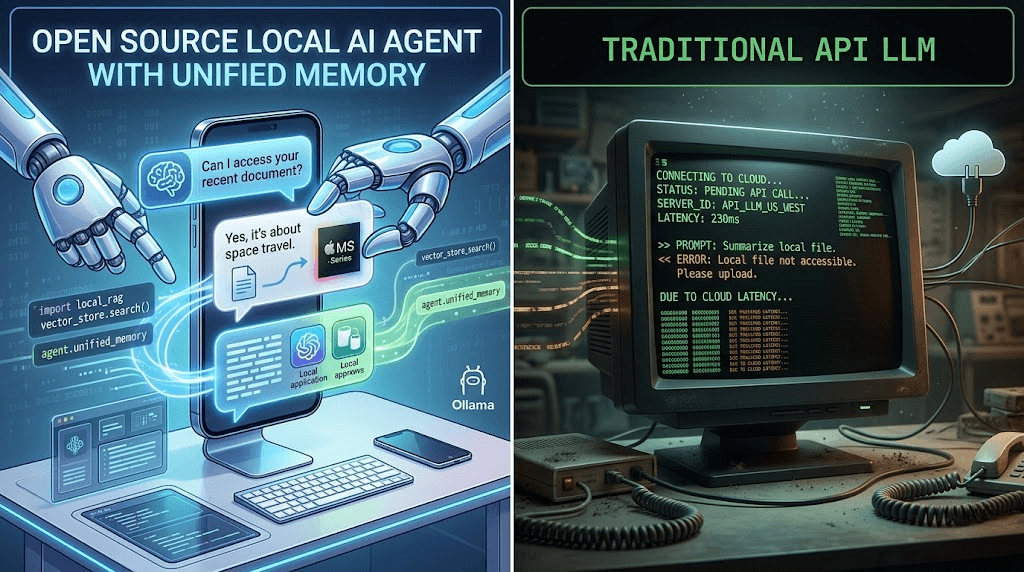
When most developers first install OpenClaw, they are blown away by its out-of-the-box ability to navigate the local file system and execute basic shell commands. But using OpenClaw strictly with its default toolkit is like buying a Ferrari and only driving it in first gear.
The true superpower of the OpenClaw framework is its Extensibility. Through the ClawHub API and the custom Skills Architecture, you can teach your Large Language Model (LLM) to perform highly complex, proprietary tasks. You can build skills that query your internal SQL databases, interact with third-party APIs, or automate tedious daily workflows.
In this comprehensive, 2000-word deep dive, we are going to bridge the gap between AI reasoning and Python execution. We will build a complete "Hello World" project with real business value: A Custom Web Scraping Skill that allows your AI to autonomously browse the internet, extract clean data, and generate intelligent daily briefings.
1. The Core Concept: How "Function Calling" Actually Works
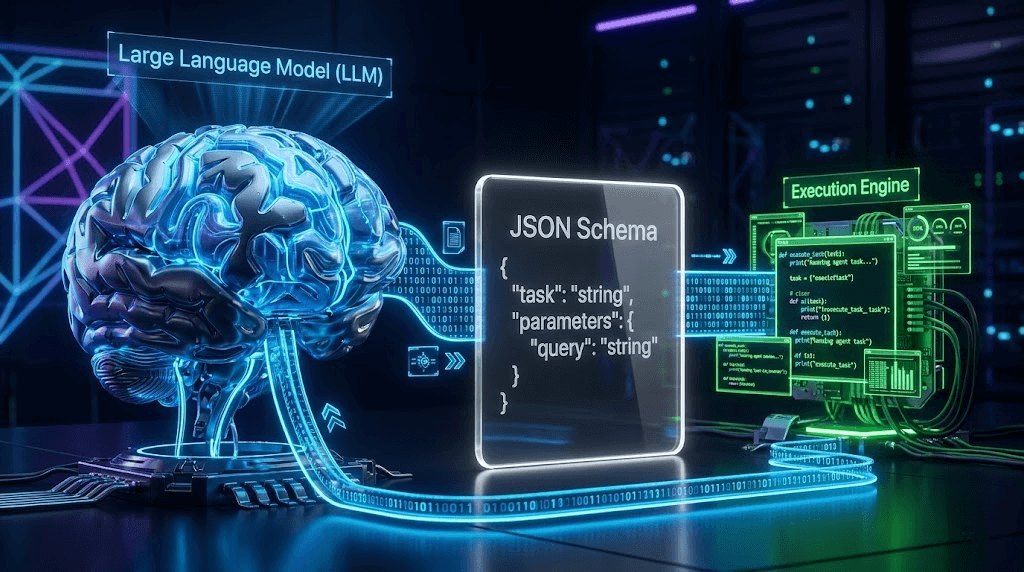
Before we write a single line of code, you must understand the underlying mechanics of an Agentic Workflow. An LLM (like Llama 3 or GPT-4o) cannot actually "browse the web" or "run code" by itself. It is simply a text-prediction engine. So how does OpenClaw make it happen?
The magic relies on a three-layer architecture known as Function Calling:
- The Tool Schema (YAML/JSON): This is the "Instruction Manual" you give to the LLM. It tells the AI: "Hey, I have a tool called
smart_scraper. You should use it when the user asks you to read a webpage. To use it, you must provide aURL." - The AI's Response: When you ask the AI to summarize an article, it reads your prompt, checks its Tool Schema, and realizes it needs external data. Instead of replying in English, the AI outputs a machine-readable JSON string:
{"tool_call": "smart_scraper", "arguments": {"url": "https://example.com"}}. - The Execution Engine (Python): OpenClaw intercepts this JSON string, halts the LLM generation, and feeds the URL into your local Python script. Once the Python script finishes scraping the website, OpenClaw takes the resulting text and feeds it back into the LLM as "System Context". The LLM then uses that context to write your final summary.
2. Step 1: Writing the Python Execution Logic
Let's build the "hands" of our agent. Navigate to your OpenClaw installation directory and find the /skills/custom/ folder. Create a new Python file named smart_scraper.py.
We will use the requests library to fetch the HTML and BeautifulSoup to strip away the noise (like JavaScript, CSS, and navigation bars) so we only feed clean text to the LLM.
(Ensure you have run pip install requests beautifulsoup4 in your environment).
import requests
from bs4 import BeautifulSoup
import logging
import json

def execute(url: str, max_words: int = 3000) -> str:
    """
    This is the main function dynamically invoked by OpenClaw.
    It fetches a URL, cleans the HTML, and returns readable text.
    """
    logging.info(f"[SmartScraper] AI requested data from: {url}")

    # Use a standard User-Agent to bypass basic anti-bot filters
    headers = {
        'User-Agent': 'Mozilla/5.0 (Windows NT 10.0; Win64; x64) AppleWebKit/537.36'
    }

    try:
        # 1. Fetch the webpage with a strict 10-second timeout
        response = requests.get(url, headers=headers, timeout=10)
        response.raise_for_status()

        # 2. Parse the HTML
        soup = BeautifulSoup(response.text, 'html.parser')

        # 3. Clean the DOM: Remove elements that confuse the LLM
        for element in soup(['script', 'style', 'nav', 'footer', 'header', 'aside']):
            element.decompose()

        # 4. Extract pure text, separated by spaces
        text = soup.get_text(separator=' ', strip=True)

        # 5. CRITICAL: Truncate text to prevent Context Window Overflow
        clean_text = text[:max_words]

        # Return structured JSON back to the LLM
        return json.dumps({
            "status": "success",
            "source_url": url,
            "extracted_content": clean_text
        }, ensure_ascii=False)

    except requests.exceptions.RequestException as e:
        logging.error(f"[SmartScraper] Fetch failed: {e}")
        # Always return errors gracefully so the LLM can apologize to the user
        return json.dumps({
            "status": "error",
            "error_message": f"Connection failed. Details: {str(e)}"
        })
💡 Why Truncation is Critical (The Context Window Trap)
If you feed the raw HTML of a modern website into an 8B parameter local model, it will likely exceed its 8,000-token context limit. When this happens, the model either crashes with an Out-Of-Memory (OOM) error or begins hallucinating wildly. By strictly limiting the output via clean_text = text[:max_words], we ensure the agent remains stable and responsive.
3. Step 2: Defining the Tool Schema (YAML)
The code is ready, but the LLM doesn't know it exists. In the same /skills/custom/ directory, create a companion file named smart_scraper.yaml.
This file is pure Prompt Engineering. The description field is exactly what the LLM reads to decide if it should trigger your script.
name: smart_web_scraper
description: "A highly capable web scraping tool. You MUST use this tool whenever the user asks you to read an article, extract news, summarize a specific URL, or find information on the internet. It will return the clean, readable text from the target website."
entry_point: "smart_scraper.py:execute"
parameters:
  type: object
  properties:
    url:
      type: string
      description: "The fully qualified URL to scrape. Must include http:// or https://."
    max_words:
      type: integer
      description: "The character limit to extract. Default is 3000. Increase this only if the user explicitly asks for a deep, long-form reading."
  required:
    - url
4. Step 3: Registration and Local Testing
Finally, we must tell OpenClaw's core engine to load this new capability. Open your master config.yaml in the root directory and add your skill to the custom registry:
skills:
  enabled_default:
    - file_reader
    - system_monitor
  custom_skills_path: "./skills/custom"
  # Register your new skill here:
  enabled_custom:
    - smart_web_scraper
Restart your OpenClaw service or Docker container. Now, open your chat interface (Web UI or Telegram) and issue the ultimate test prompt:
"Please visit Hacker News (https://news.ycombinator.com/). Find the top 3 posts related to Artificial Intelligence, and generate a daily briefing for me with bullet points summarizing each."
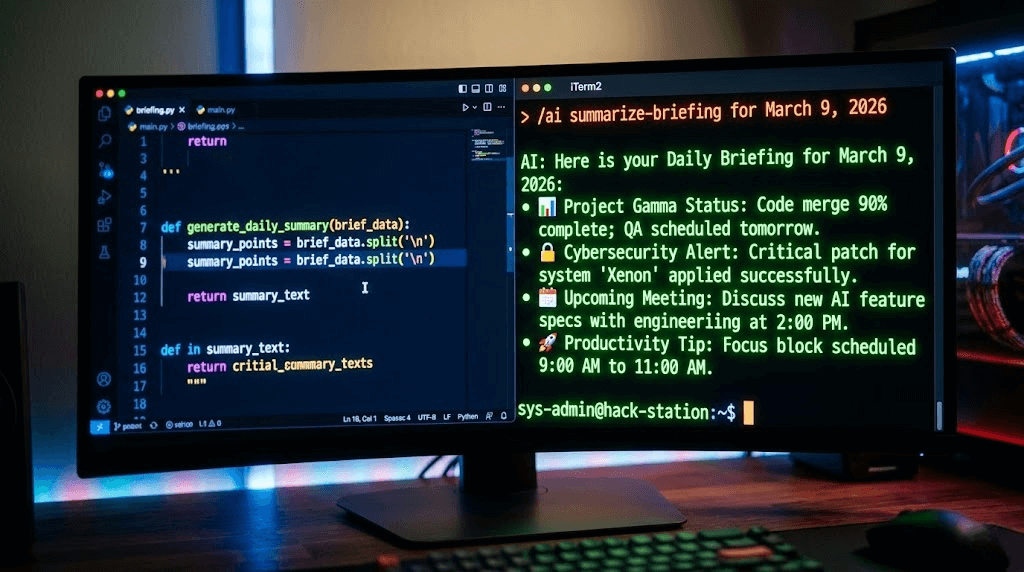
Watch the terminal logs. You will see OpenClaw instantly route the request to your Python script, grab the raw text from Hacker News, inject it into the local LLM's context, and output a flawlessly formatted AI briefing. You have just built a fully autonomous data-mining pipeline!
5. The Commercial Reality: Why Python Scrapers Fail at Scale
What you have just built is a phenomenal tool for personal productivity. If you only need to scrape 5 or 10 articles a day for your own research, this Python script running on your local IP is perfect.
However, if you attempt to use this technology for Enterprise Lead Generation or Social Media Marketing, you will hit an impenetrable wall.
Many developers learn how to build custom OpenClaw skills and immediately think: "I'm going to write a script that scrapes 5,000 Instagram profiles a day, extracts their emails, and sends automated DMs to generate B2B leads!"
When you attempt this using requests or headless browsers (like Selenium/Playwright) on local infrastructure, you face three devastating platform defenses:
- Cloudflare / Akamai Blocks: Modern social media sites will instantly recognize that your Python script is missing essential browser headers, TLS handshakes, and JavaScript rendering capabilities, resulting in a permanent HTTP 403 Forbidden error.
- Hardware Fingerprinting: If you upgrade to a headless browser, platforms like TikTok analyze your WebGL, Canvas, and AudioContext fingerprints. They will instantly identify that the traffic is originating from a PC or a Docker container rather than a genuine mobile phone, leading to immediate shadow-bans.
- IP Contamination: Sending thousands of automated requests from your local broadband or a single AWS server will flag your IP subnet as a "Bot Farm," resulting in permanent IP blacklisting.
Scaling Safely: The ARM Cloud Phone Paradigm
If your goal is Enterprise Social Media Automation, you cannot rely on fragile local Python scrapers. To achieve a 0% ban rate while operating hundreds of accounts, elite marketing agencies upgrade to hardware-level isolation using platforms like the Jumei.ai Matrix System.
Jumei renders Python scraping scripts obsolete for social media growth. Instead of trying to "trick" the platform algorithms, Jumei provides Genuine ARM Cloud Phones. When you execute an automated outreach campaign on Jumei, it runs natively on real smartphone motherboards hosted in the cloud, utilizing dedicated, pure residential IPs.
Through Jumei’s Multi-Account Management Console, you can orchestrate complex, multi-platform matrix operations—like bulk content publishing, competitor follower extraction, and automated private domain funneling—without writing a single line of YAML or Python. It is the ultimate evolution from a "Developer Toy" to a "Global Revenue Engine."
6. Frequently Asked Questions (FAQ)
A: The requests library we used is highly identifiable. Platforms like LinkedIn, X (Twitter), and TikTok use advanced Bot Management tools that require full JavaScript execution and human-like interactions to pass CAPTCHAs. For highly fortified sites, you must either integrate expensive third-party scraping APIs (like BrightData) or move to physical cloud hardware solutions.
A: This requires implementing a RAG (Retrieval-Augmented Generation) flow within your Python skill. Instead of passing the truncated string directly back to the LLM, your Python script should chunk the text, store it in a local vector database (like ChromaDB), and perform a similarity search based on the user's original query. This guarantees the LLM only receives highly relevant snippets.
A: Yes! The OpenClaw community thrives on open-source contributions. You can package your smart_scraper.py and smart_scraper.yaml files and submit a pull request to the official ClawHub repository on GitHub to share your tools with thousands of other developers.