The Marketer's Summary
- [!]The "Unofficial API" Trap: Cheap bulk sender tools usually reverse-engineer WhatsApp Web protocols. Meta patches these exploits weekly. If you value your phone numbers, stop using them.
- [+]The "Real Device" Shield: WhatsApp rarely bans accounts running on legitimate Android IDs with healthy battery/sensor data. Cloud Phones provide this "hardware legitimacy" at scale.
- [$]The Matrix Strategy: Don't put all your leads in one basket. Run 50 isolated Cloud Phones. If one number gets flagged, the other 49 remain alive.
Let's be honest: WhatsApp Marketing is the "Wild West" of B2B sales.
With email open rates dropping to 20% and cold calls going to voicemail, WhatsApp’s 98% open rate is irresistible.
But Meta knows this. And they hate it.
If you have tried to scale your WhatsApp outreach, you know the pain cycle:
1. Buy 10 SIM cards.
2. Register accounts.
3. Send 50 messages.
4. BANNED. "Your number is banned from using WhatsApp."
Most marketers blame the message content. "Maybe I shouldn't have sent a link?"
Wrong. Usually, you were banned before you even pressed send. You were banned because your Infrastructure screamed "I am a bot."
In 2026, you cannot hack WhatsApp. You have to join them. This guide explains how to build a High-Trust Infrastructure using Cloud Phones that lets you manage 50+ accounts safely, effectively, and without waking up to a ban wave.
1. Why Your "Bulk Sender" Software Keeps Getting You Banned
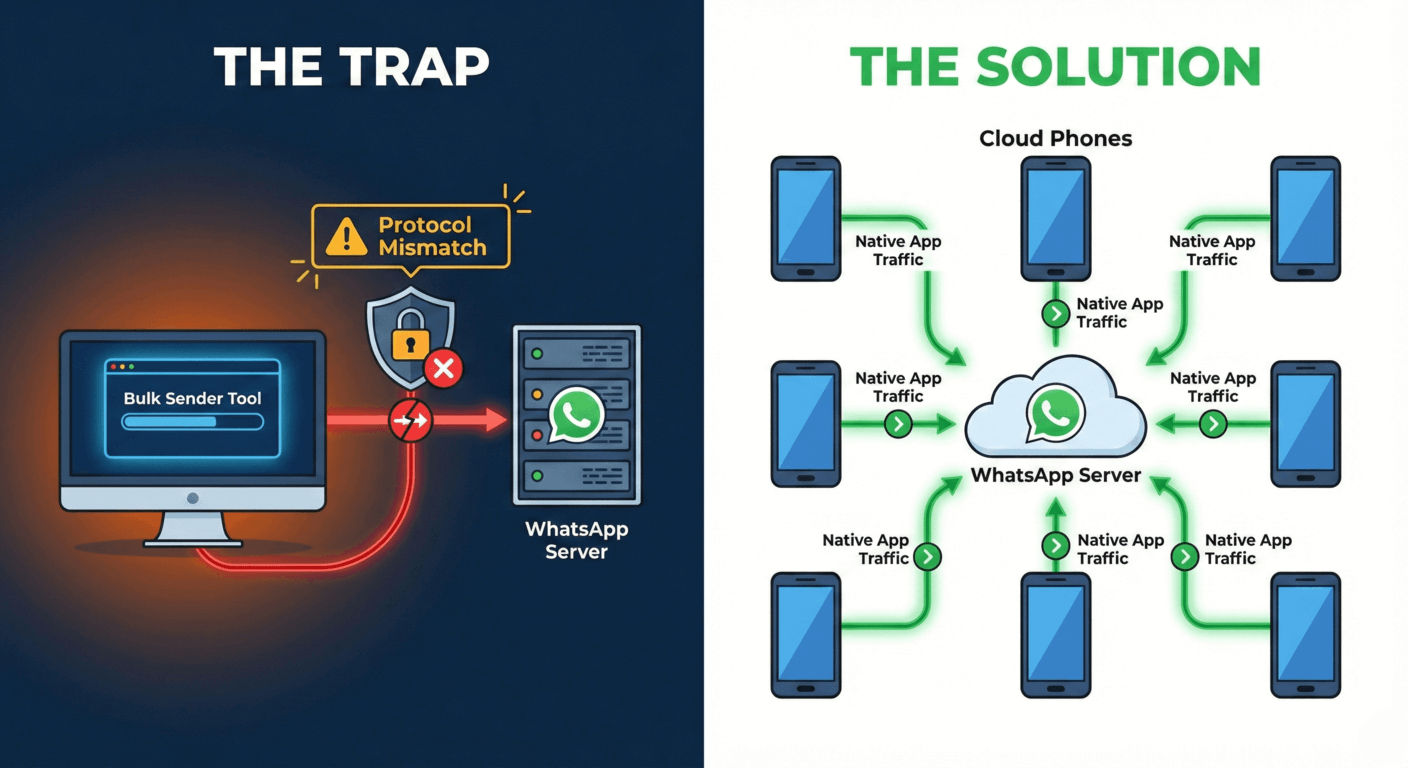
To beat the ban, you must understand how WhatsApp detects automation.
There are three ways to access WhatsApp:
1. Official Business API
Cost: High (per message).
Pros: 100% Safe.
Cons: No cold outreach. Strict templates. Meta must approve every word.
2. Unofficial Tools (WaSender)
Cost: Low ($50 lifetime).
Pros: Fast.
Cons: Death Trap. Uses reverse-engineered Web Sockets. Easily detected by Meta's integrity checks.
3. Real Device Automation
Cost: Medium (Cloud Phone).
Pros: High Safety. Uses the official Android App. Looks like a human finger tapping a screen.
Cons: Slower than API.
The "Protocol Detection" Problem:
When you use a PC-based "Bulk Sender," it usually emulates WhatsApp Web.
WhatsApp checks: "Is this account keeping a WebSocket connection open 24/7 without a paired phone online?"
If the answer is Yes, you are flagged. Real users have phones. Bots use scripts.
The Solution: You must run the Official WhatsApp Android APK.
But you can't carry 50 phones in your pocket. That's why you use Moimobi Cloud Phones.
2. The "Matrix" Architecture: 1 Phone = 1 Account
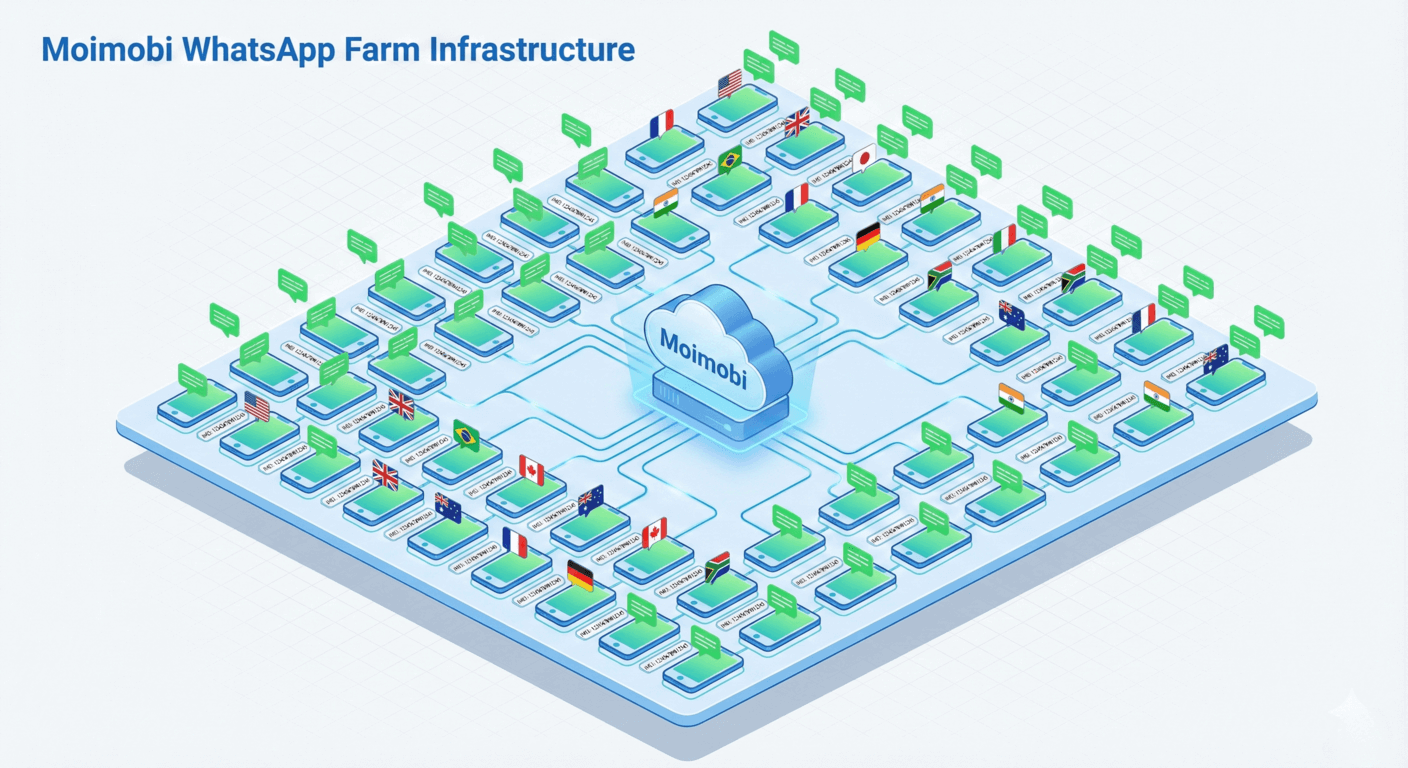
Do not try to use "App Cloners" or "Dual Space" on a single device. WhatsApp reads your IMEI and Android ID. If it sees 10 accounts sharing one device ID, it links them. One report kills the whole cluster.
The Golden Rule of Isolation:
+ 1 Unique Cloud Phone Instance (Unique IMEI)
+ 1 Static Residential IP (SOCKS5)
+ 1 Dedicated Physical SIM (for OTP)
= Zero Correlation Risk
Why Cloud Phones?
- Always On: Unlike a physical phone that runs out of battery or loses Wi-Fi, a cloud phone is online 24/7. Your "Last Seen" status is consistent.
- Scalability: You can spin up 50 instances in 10 minutes.
- Team Access: Your sales team in New York can control a WhatsApp account tied to a UK IP without needing the physical SIM card after the initial login.
3. The 14-Day Warm-Up SOP: Don't Rush
This is where 90% of marketers fail. They register a new number and immediately send 100 messages.
New numbers are "Radioactive." WhatsApp assigns a Trust Score to every number. A new number has a score of 0. You need to build it up to 100 before you start selling.
Here is the internal SOP we use for our clients:
| Phase | Days | Action (On Cloud Phone) |
|---|---|---|
| Phase 1 | Day 1-3 | Passive Existence. Register account. Set profile photo and bio. Receive 3-5 messages from your own "safe" numbers. SEND ZERO MESSAGES. |
| Phase 2 | Day 4-7 | Social Warming. Join 3-5 public WhatsApp groups. Scroll through status updates. Engage in chat. Send 5-10 messages to saved contacts only. |
| Phase 3 | Day 8-14 | Low Volume Outreach. Send 10-20 "Warm" messages per day. These should be to people who are likely to reply (e.g., existing customers). Goal: High Reply Rate. |
| Phase 4 | Day 15+ | Scale Up. Increase volume by 20% daily. Max safe limit per account: ~50-100 messages/day for cold outreach. |
4. Automation: ADB Tapping vs. API Injection
So you have 50 warmed-up cloud phones. How do you send 5,000 messages?
Option A: The Lazy Way (Copy-Paste)
Hire a VA. Give them access to the Moimobi Dashboard. They manually copy-paste messages.
Pros: Very safe. Human timing.
Cons: Expensive and slow.
Option B: The Smart Way (ADB Automation)
Use Moimobi's API and ADB support to run a script that simulates taps.
The Workflow:
1. Your CRM exports a CSV of 100 phone numbers.
2. Your Python script connects to Cloud Phone #1 via ADB.
3. It sends an "Intent" to open a chat: am start -a android.intent.action.VIEW -d "https://wa.me/123456789"
4. It simulates typing (not pasting) the message.
5. It clicks send.
6. It waits a randomized 30-180 seconds before the next one.
To WhatsApp, this looks exactly like a hyper-active human user. It does not carry the signature of a bulk sender tool.
5. Network Hygiene: The Silent Killer
We cannot stress this enough: Do not use Data Center IPs.
If WhatsApp sees an account registered with a +44 (UK) number, but the IP address belongs to an AWS Server in Virginia, it assigns a "High Risk" flag.
The Moimobi Setup:
1. Buy a UK Mobile Number (Physical SIM or high-quality VoIP).
2. Buy a UK Static Residential Proxy (ISP).
3. Bind the Proxy to the Cloud Phone instance.
4. Set the Cloud Phone's GPS to London.
Alignment: Number + IP + GPS must match. When these three align, your Trust Score skyrockets.
6. Managing the Chaos: Centralized Chat
Running 50 phones is great for sending, but how do you handle replies? You can't check 50 screens every hour.
The Solution: "WhatsApp Web" Mirroring (Safe Method).
Wait, didn't I say don't use Web tools?
Clarification: Don't use Web tools for Bulk Sending. Use them for Customer Service.
Once your Cloud Phones are running:
1. Open AdsPower (or similar browser).
2. Open web.whatsapp.com.
3. Scan the QR code displayed on your Moimobi Cloud Phone screen.
Now, your support team can sit in a unified browser use environment to answer replies, while the Cloud Phones do the heavy lifting of sending out messages in the background via ADB scripts.
7. FAQ
A: Ideally, no. WhatsApp is banning VoIP numbers aggressively. It's much safer to buy cheap physical SIM cards (e.g., LycaMobile, GiffGaff), register them once on the Cloud Phone, and then toss the SIM. The Cloud Phone keeps the session alive forever.
A:
- New Account (0-14 days): 0-20 messages.
- Warmed Account (14-30 days): 50 messages.
- Mature Account (2+ months): 100-200 messages.
Note: If people report you as spam, you will be banned even if you only send 1 message. Relevance is key.
A: On a physical phone or App Cloner? Yes, probably. On Moimobi? No. Each cloud instance is a completely isolated "Sandbox." WhatsApp cannot see that Cloud Phone A and Cloud Phone B are owned by the same person. You lose 1 soldier, not the army.
Scale Your Outreach Safely
Stop playing "Ban Roulette." Build a professional, isolated mobile infrastructure for your WhatsApp team.
Deploy 10 WhatsApp Nodes ($19.9/mo)