Here is the controlled setup.
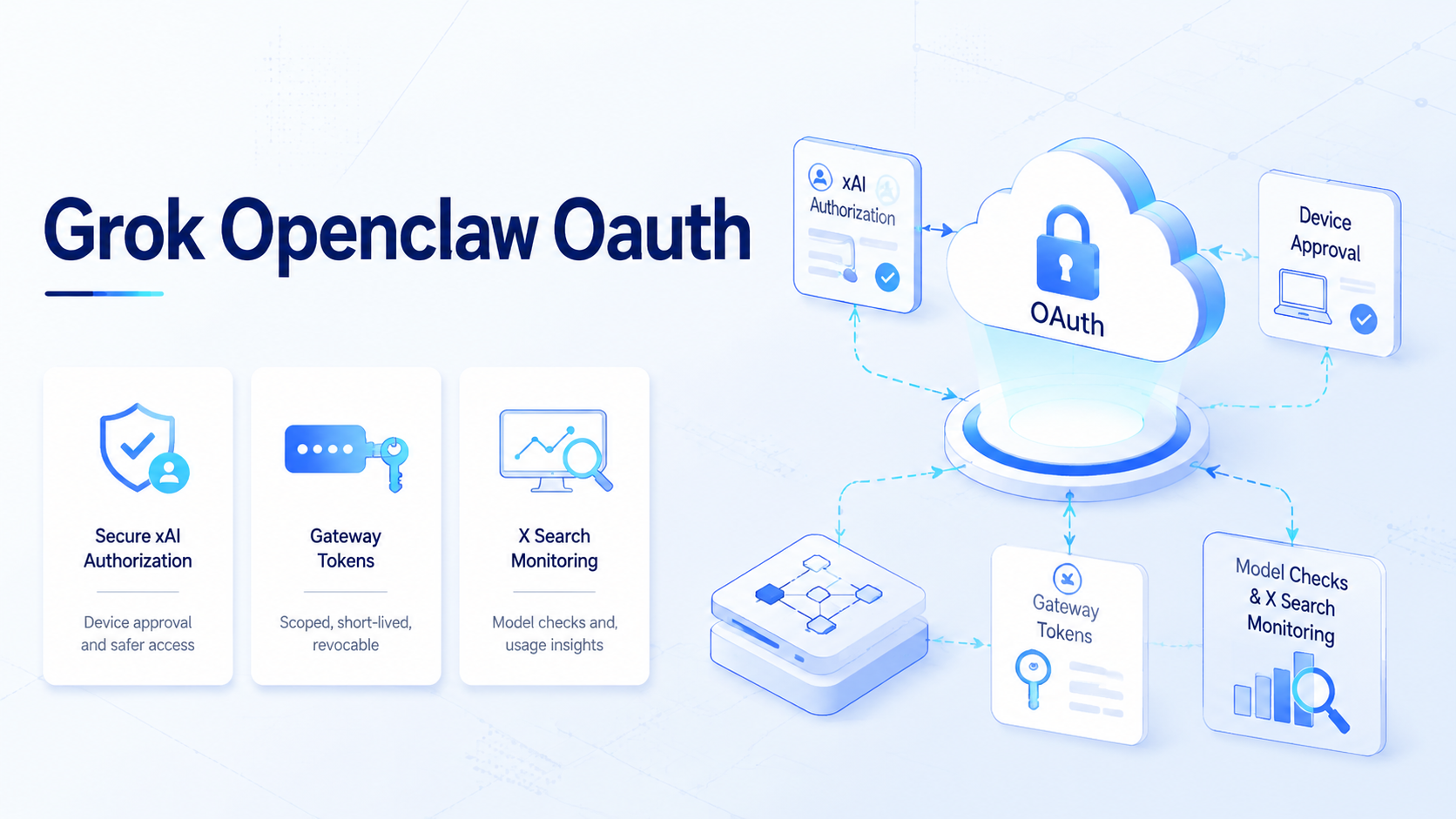
Grok OpenClaw OAuth is a setup pattern for connecting Grok or xAI account access to an agent workflow through OAuth authorization, a local Gateway, device approval, and model verification. Instead of opening Grok in a browser, copying results, and pasting them into another tool, the model becomes part of a controlled workflow.
The walkthrough is valuable because it is not a vague product claim. It follows a real setup path: check Node.js, install OpenClaw, authorize xAI through OAuth, set a Grok default model, start the Gateway, configure a token, approve the device, and verify the connection.
Key Takeaways
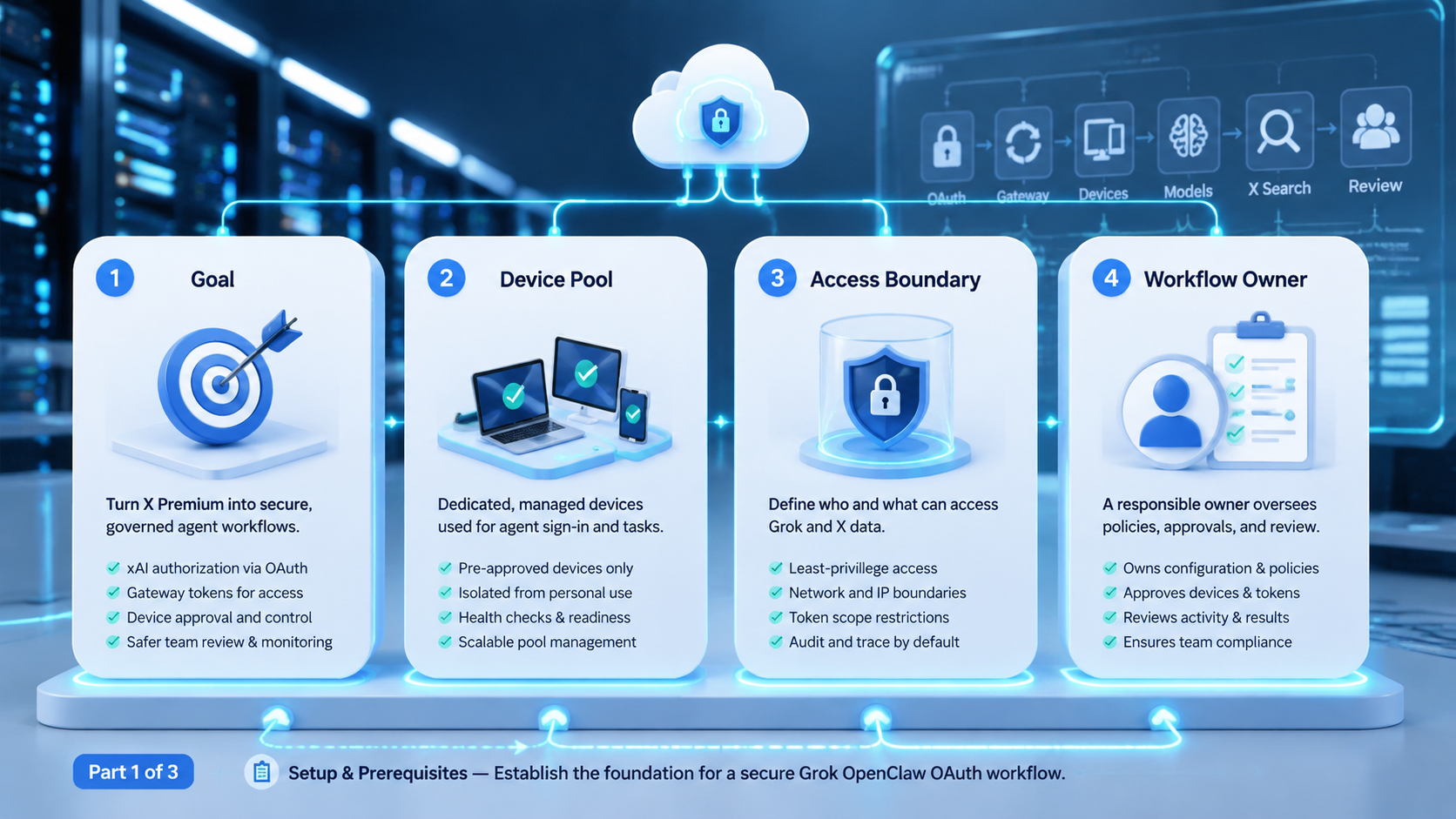
- Grok OpenClaw OAuth turns X Premium model access into an agent workflow lane
- The setup should be treated as authorization, Gateway, token, device, and model verification
- X Search is the most practical first use case because it reads and summarizes before taking action
- Teams need account ownership, device approval, logs, review gates, and recovery records
- A cloud phone or controlled review lane can inspect account-side results after agent preparation
What the Grok OpenClaw OAuth Workflow Enables
The workflow gives an agent access to Grok through an authorized xAI or X account. The practical result is a model lane that can be called from CLI commands, local tools, scheduled jobs, or a team automation system.
That matters because many AI workflows still depend on manual browser use. A person opens a page, asks a model, copies the result, and moves to another tool. Once Grok is connected through a Gateway, that same capability can be routed into repeatable tasks.
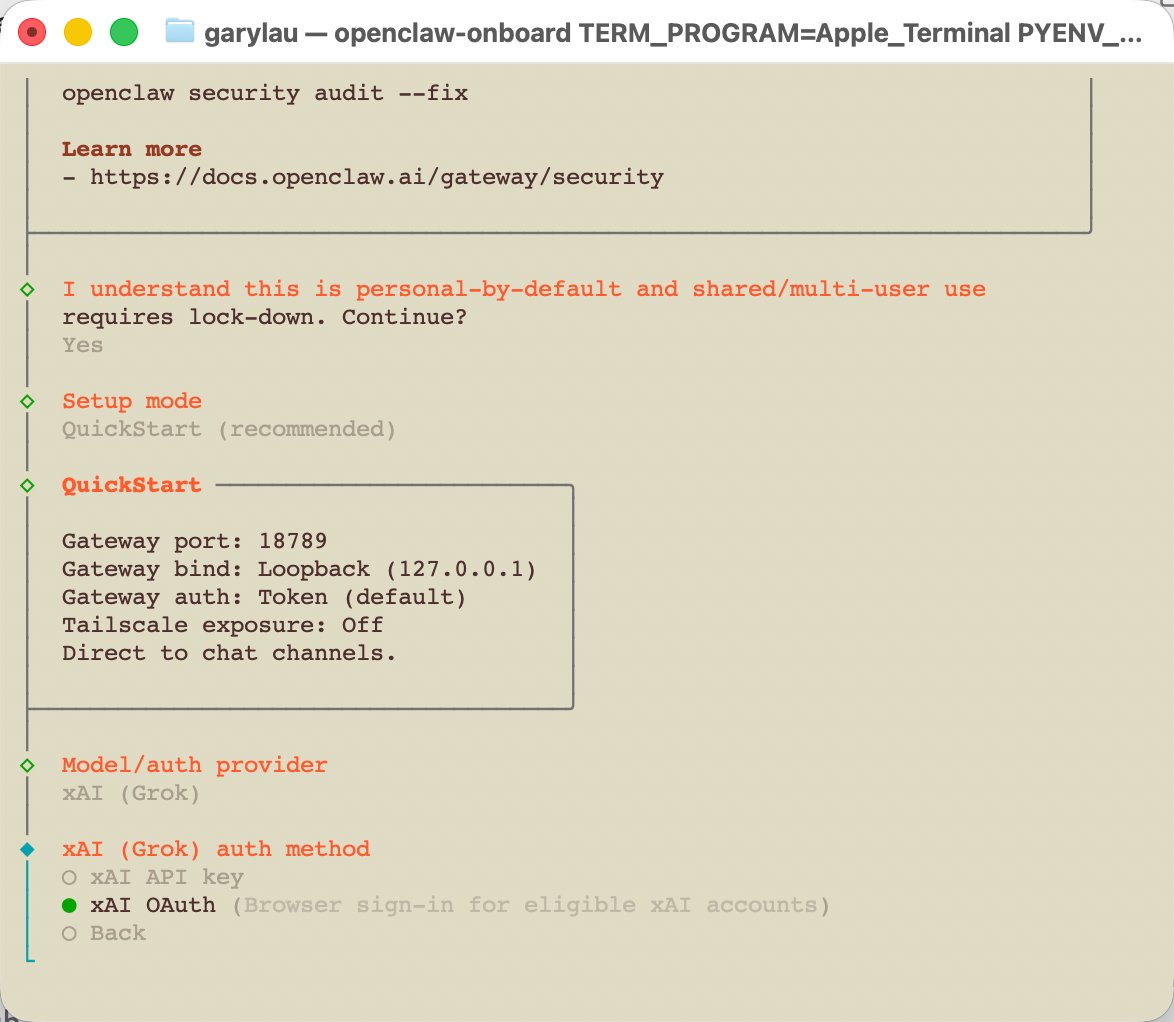
The walkthrough highlights three useful outcomes.
| Outcome | Why It Matters |
|---|---|
| X Premium quota becomes usable by agents | Subscription value is no longer limited to manual chat |
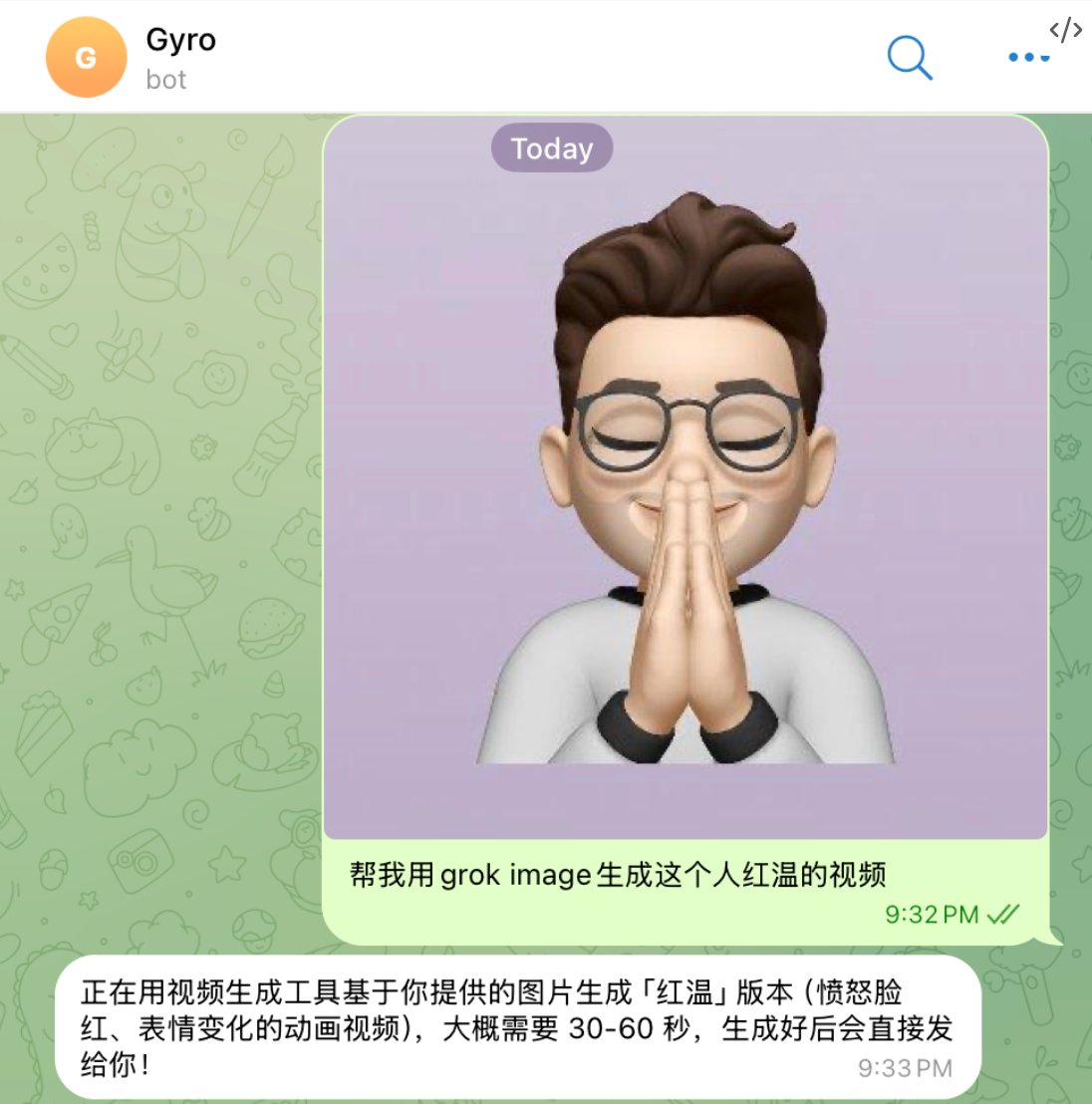
| Grok Image and video capability becomes callable | Creative generation can enter content workflows |
| Grok X Search becomes agent-readable | Monitoring and research can run on a schedule |
For a team, the point is not only cost. The point is control. A useful workflow shows which account authorized the model, which device was approved, which task called the model, and which output was reviewed.
Why This Matters for AI Browser and Mobile Teams
Teams that manage accounts across browsers and mobile devices need more than a model picker. They need a repeatable operating path from signal collection to action.
For example, a growth team may want to monitor X accounts, summarize discussions, create draft responses, generate images, and send selected work to a reviewer. Grok can support the search and generation steps, while the team still keeps approval separate.
Mobile automation and AI browser work benefit from this split. Agents prepare research, drafts, and structured recommendations. Operators review account-side state in the correct environment, which keeps public actions behind a review gate.
This is especially important for multi-account teams. Model output may be shared, but account context must remain separated.
A simple rule helps: read first, write later. Read tasks can run often because they gather facts, posts, and signals. Write tasks need a person in the loop because they can touch a live account, a public reply, or a brand voice. This keeps the setup useful without making account work risky or hard to audit.
Setup Prerequisites for Grok OpenClaw OAuth
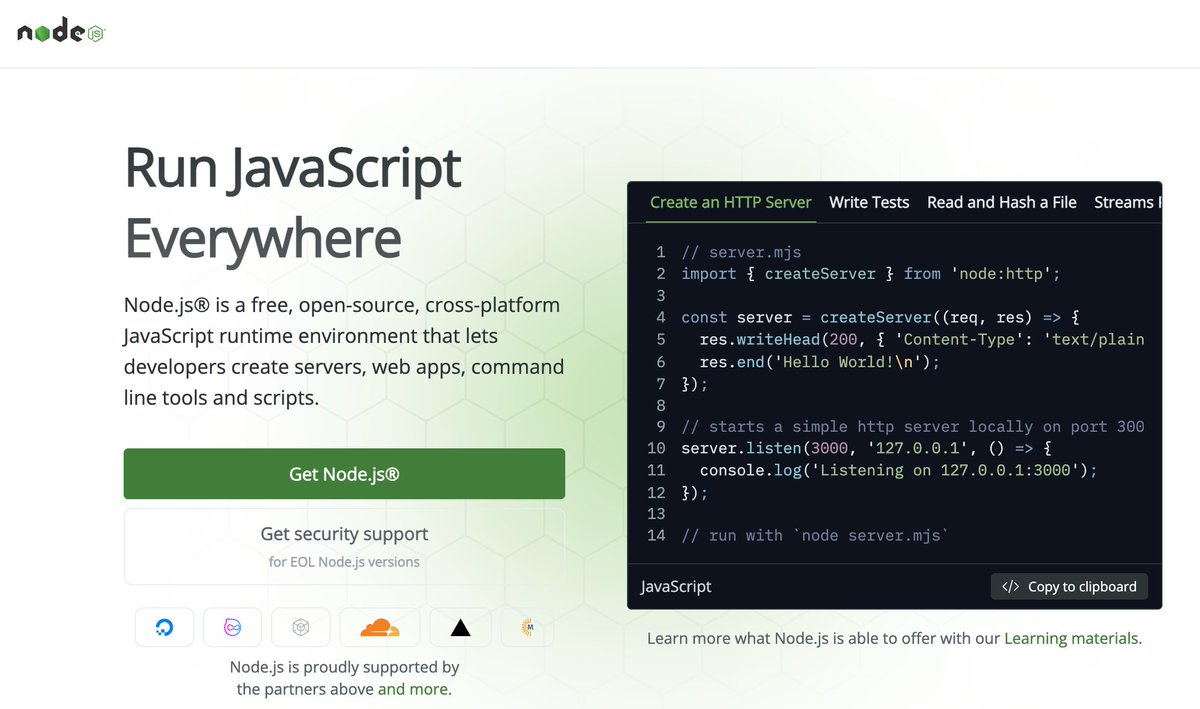
The setup begins with three prerequisites: Node.js 24, an active X Premium or Premium+ subscription, and access to accounts.x.ai. For dependency checks, use the official Node.js site or a maintained installer such as nvm, then keep the installation method in the runbook.
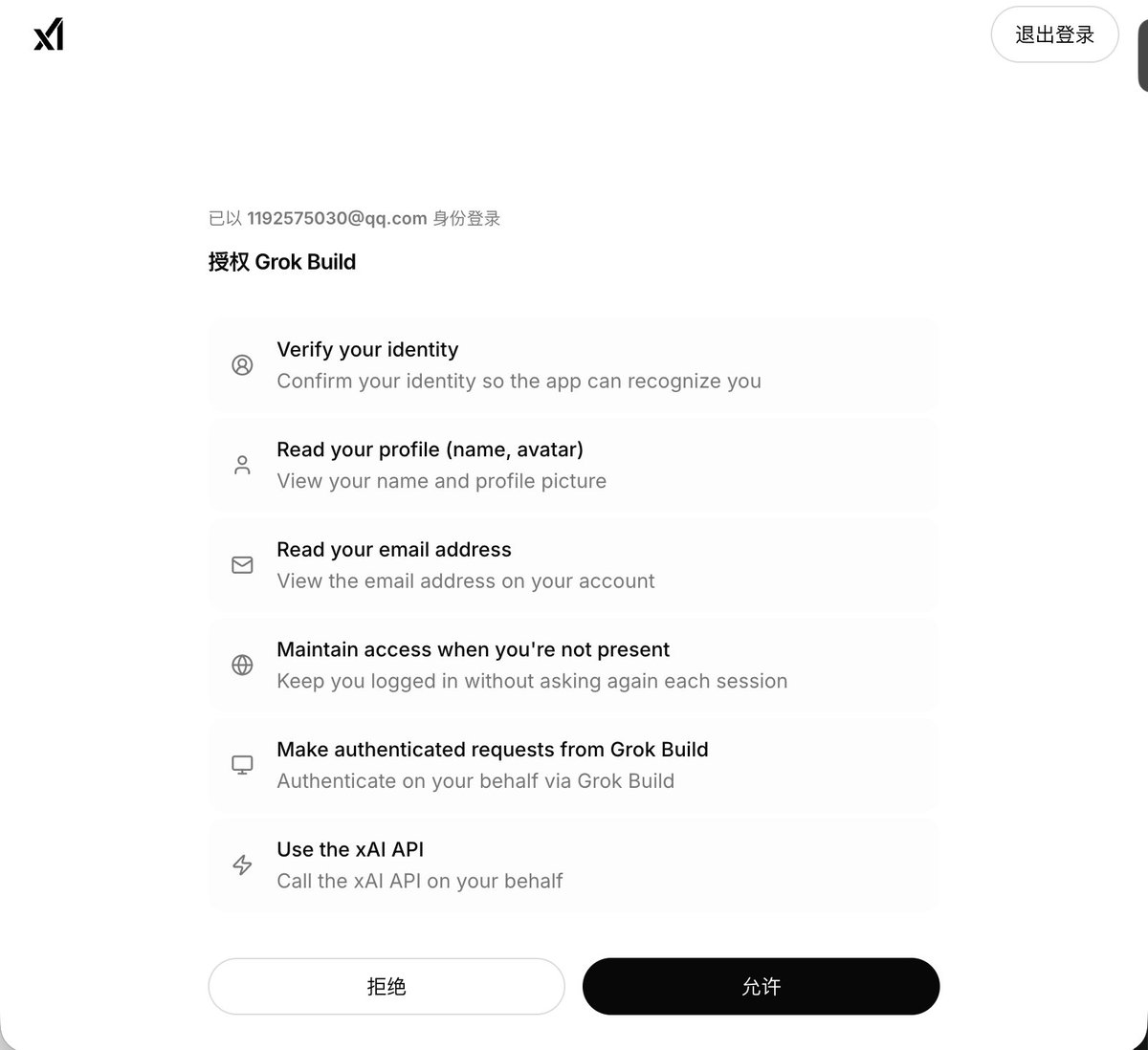
These prerequisites should be recorded, not just checked once. A team should know which machine runs the Gateway, which account owns the authorization, and which operator can approve devices.
| Requirement | Operational Note |
|---|---|
| Node.js / npm | Required for the CLI and local service path |
| X Premium account | Provides the authorized Grok access path |
| accounts.x.ai access | Needed for OAuth and account authorization |
| Operator identity | Needed for audit and recovery |
| Gateway location | Needed for task routing and token control |
If this workflow later supports scheduled jobs, the setup machine should be treated like infrastructure. Logs, token storage, restart commands, and access control all matter.
Step 1: Check the Grok OpenClaw OAuth Runtime Environment
The first step is checking Node.js and npm. A basic check looks like:
node -v
npm -v
If Node.js is missing, install it through a trusted path. Official runtime documentation is important because this workflow depends on local commands and a Gateway process, not only a web login.
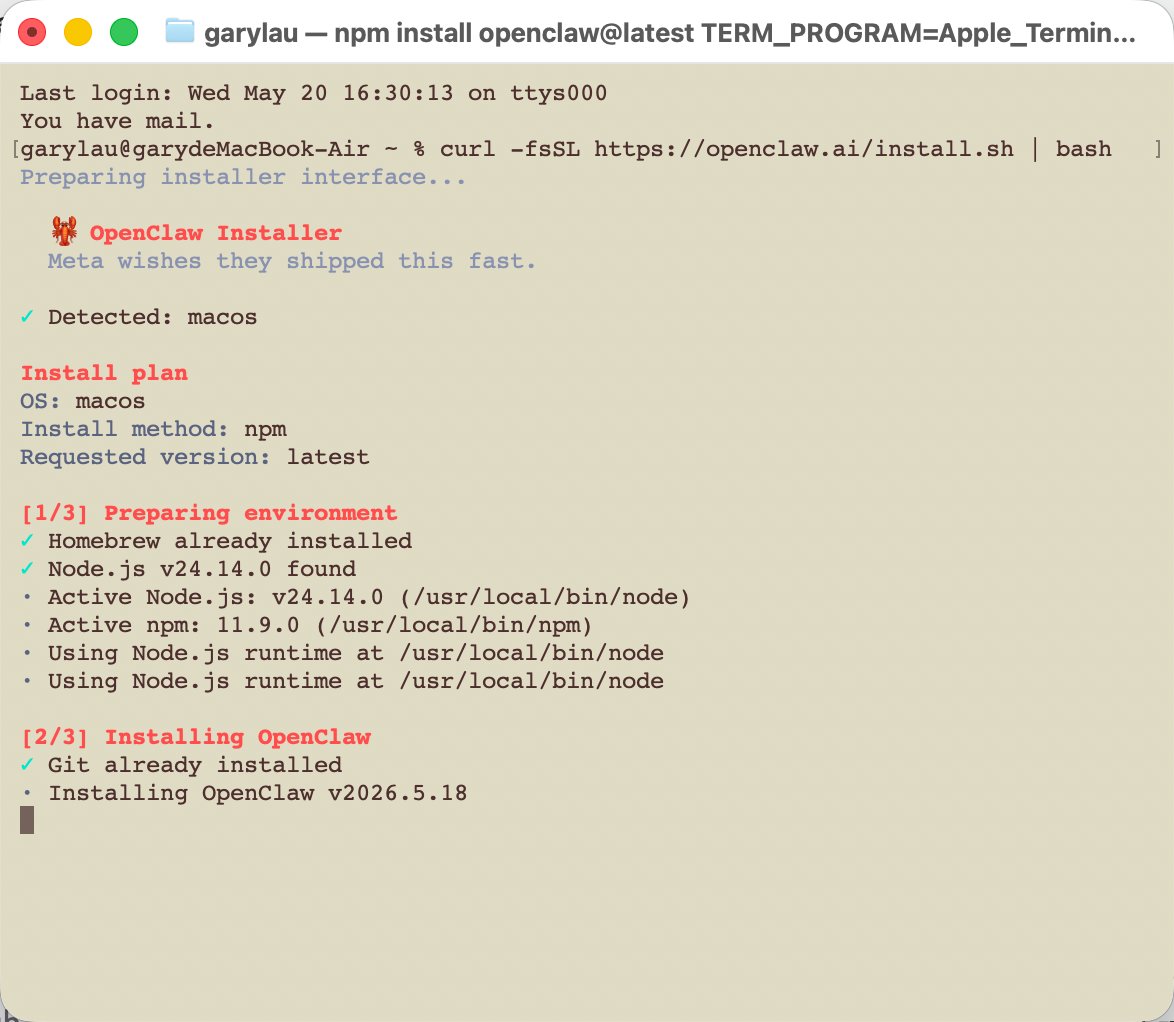
For a team, this step should not stay informal. Write down the expected Node version, shell, install method, and log location. That makes later Gateway problems easier to debug.
Step 2: Install OpenClaw and Verify the CLI
After installation, verify that the CLI is available before moving to OAuth. A broken install can look like an authorization problem later, so it is better to separate those failure modes early. OpenClaw's own getting started documentation is the reference point for the CLI path and expected workflow shape.
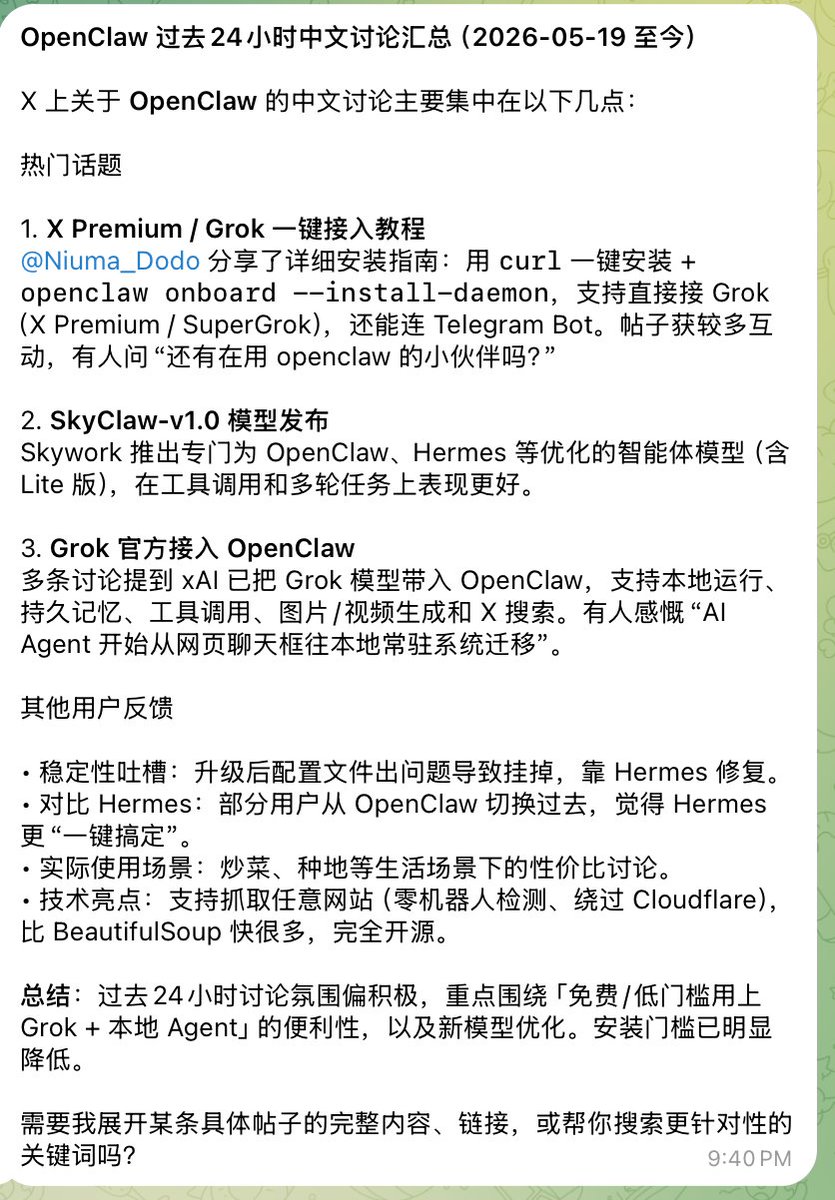
The verification record should answer four questions:
- Does the CLI exist?
- Which version is installed?
- Which user runs the command?
- Where do logs go?
Those details seem boring, but they become useful as soon as the workflow moves from a personal laptop to a team workstation, server, or remote execution lane.
Step 3: Authorize xAI Through OAuth
The important part of the setup is xAI authorization. Here, trust is the product surface. The setup chooses a local Gateway, selects model configuration, picks xAI as the provider, and uses OAuth as the auth method. For xAI-side capability, teams should compare the setup with the official xAI documentation and xAI API pages instead of relying only on screenshots.
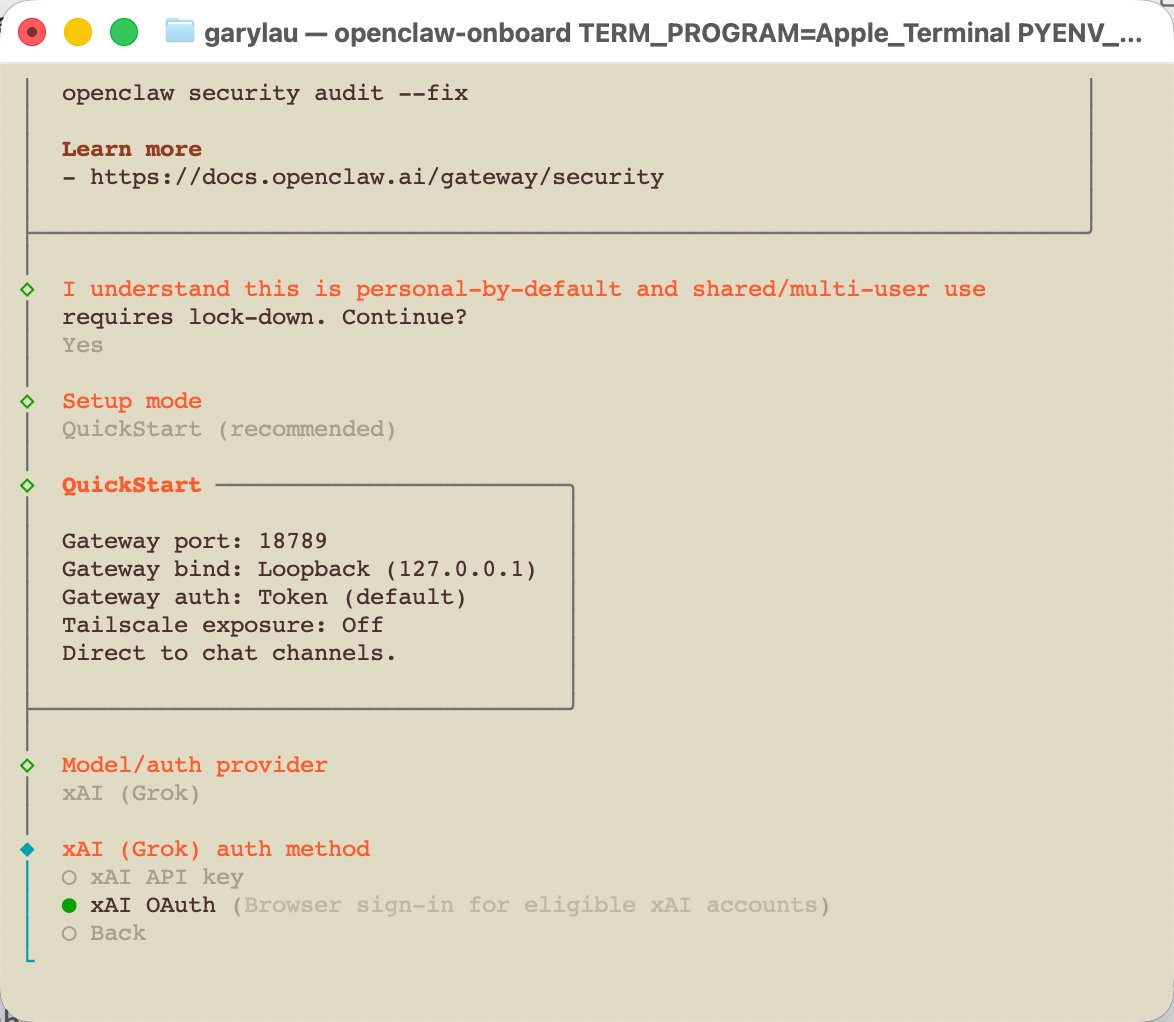
OAuth creates a cleaner trust boundary than storing account passwords in a script. The account owner authorizes access, and the Gateway uses that authorization for controlled model calls.
This is still sensitive. A team should record the authorized account, authorization time, approved scopes, token owner, and expected renewal path. That record is what separates a team workflow from an undocumented local experiment.
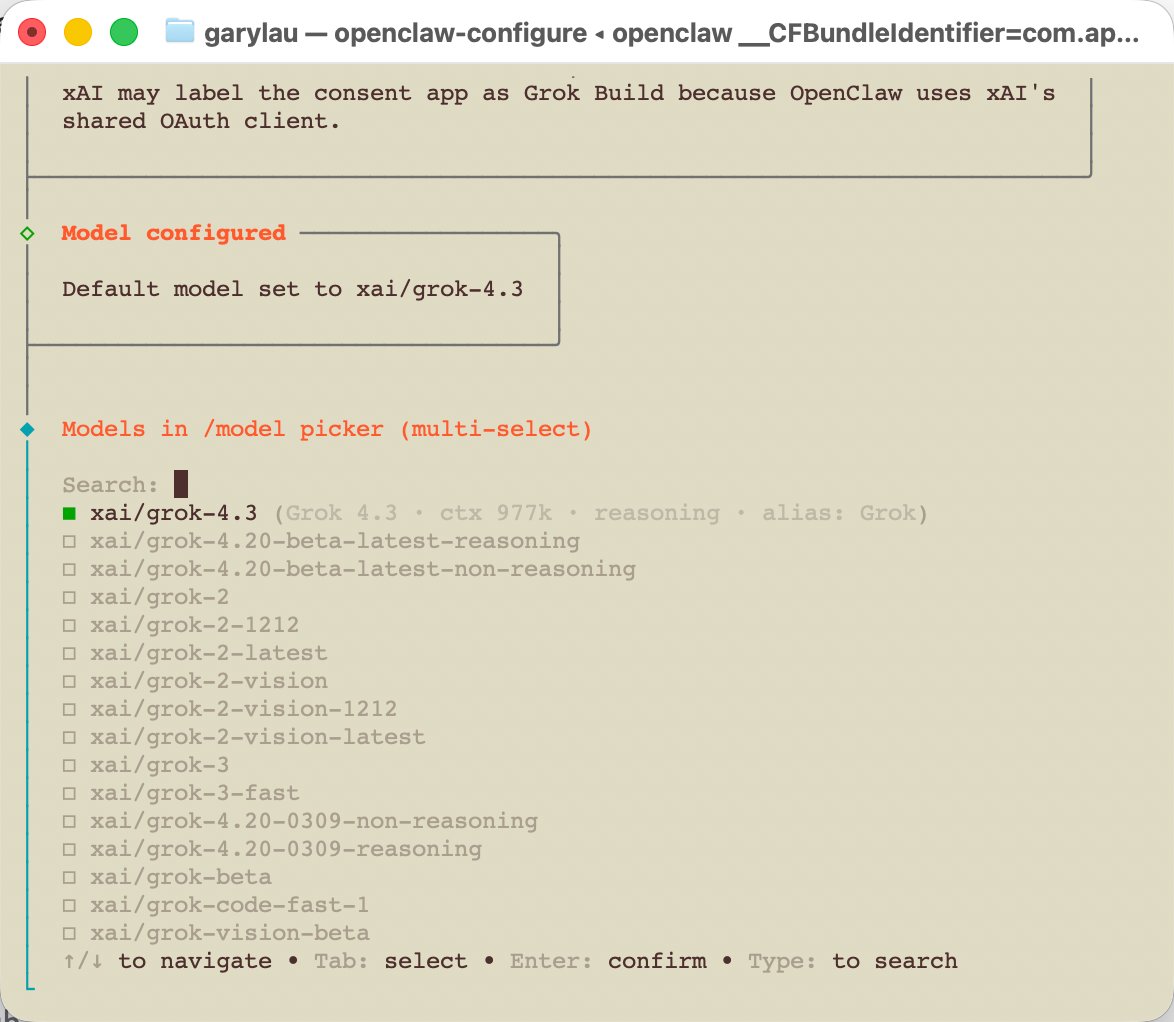
Step 4: Set a Default Grok Model
Once authorization works, list the available xai/ models and choose a default model. The post names models such as Grok 4.3, Grok 3 Fast, and a code-focused fast model.
A default model should be a workflow decision, not a random personal preference. Search, summarization, code help, image reasoning, and creative generation may each need different model choices.
For team use, define a simple policy:
| Task Type | Model Rule |
|---|---|
| X Search summary | Use the default fast research model |
| Code diagnosis | Use the code-focused model if available |
| Creative ideation | Use the stronger general model |
| Scheduled monitoring | Prefer stable and lower-latency settings |
| High-risk output | Require human review before action |
This avoids silent model changes that make results hard to compare.
Step 5: Start the Gateway and Protect the Token
The Gateway is the bridge between local authorization and agent calls. The walkthrough shows both service-style startup and temporary startup.
For personal testing, a temporary Gateway can be enough. For team workflows, a service-style Gateway is better because scheduled tasks need predictable availability.
Token handling is the main security boundary. Do not paste the Gateway token into shared chats, public docs, or source files. Put it in controlled configuration, and rotate it if a device or operator should no longer have access.
The Gateway record should include the local URL, auth mode, token owner, restart command, log file, and approved devices.
Step 6: Approve Devices and Handle Scope Upgrades
Device approval comes next. When the page shows a pending device, approve the right request. Scope upgrade prompts should go through the same controlled approval process.
Device approval is not a cosmetic step. It decides which client can use the Gateway. Teams should record the request ID, requester, approved device, approval time, and related task.
Device isolation is useful here when multiple accounts or operators share infrastructure. Even if the model call is authorized, the review environment still needs to stay separated by account.
Step 7: Verify the Grok OpenClaw OAuth Connection
Verification should include more than a happy-path model response. Check model status, OAuth account state, Gateway status, device list, and a minimal agent call.
A simple test can ask the agent to return only OK. Once the CLI returns correctly and the web console can also call the model, the core path is connected.
For team workflows, add these review checks:
- The call is attributed to the correct authorized account
- Logs contain enough detail to recover a failed task
- A reviewer can see the output before it drives a public action
Keep the verification boring and repeatable. These checks make the setup usable beyond a single developer session.
Grok OpenClaw OAuth X Search Is the Best First Automation
The most practical first workflow is not posting, messaging, or editing account settings. It is X Search monitoring.
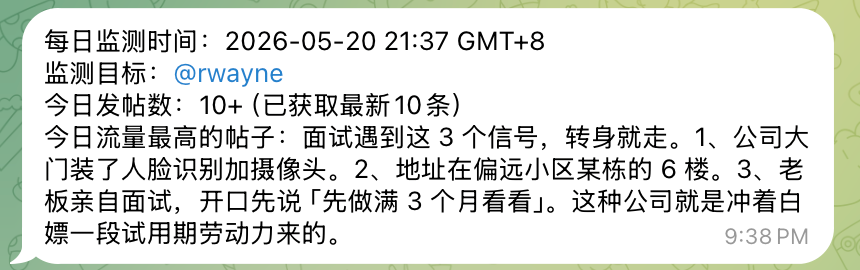
The post describes a Cron task that asks Grok to scan selected accounts or topics every hour and push new findings to a phone. That is a good first use case because it reads and summarizes before taking action.
Example tasks include:
| Monitoring Task | Output |
|---|---|
| Track target accounts | New post summaries |
| Track product keywords | Market signals |
| Track competitor names | Competitive alerts |
| Track creator posts | Content inspiration |
| Track support complaints | Issue discovery |
This is where Grok access can support social media marketing without immediately touching live accounts.
Grok OpenClaw OAuth Runbook for Teams
A team should turn this setup into a small runbook before it becomes a shared production habit. The goal is not to slow down experimentation. The goal is to make the model lane recoverable when OAuth expires, a Gateway restarts, or a device approval request appears at the wrong time.
The runbook should begin with ownership. One person owns the authorized account. Another person may own the Gateway machine.
A third person may review outputs before anything reaches a public account. In a small team, one person can hold several roles, but the record should still name the responsibility.
| Setup Field | Example Record | Owner |
|---|---|---|
| Authorized account | X Premium account used for Grok access | Account owner |
| Gateway URL | Local or private network endpoint | Infrastructure owner |
| Gateway token | Stored in controlled configuration | Admin owner |
| Approved device | Machine or client allowed to call the Gateway | Approver |
| Default model | Chosen xai/ model for routine tasks |
Workflow owner |
| Log path | CLI and Gateway logs | Infrastructure owner |
| Cron owner | Person responsible for scheduled monitoring | Task owner |
| Review owner | Person who approves account-side action | Operator |
The runbook also needs decision rules. Expired OAuth belongs to the account owner, who renews authorization and records the time. A Gateway outage belongs to the infrastructure owner, who checks logs, restart commands, and token state.
Missing models belong to the workflow owner, who checks provider configuration and available model names. Empty X Search output belongs to the task owner, who reviews the prompt, target accounts, and search scope. Public action requests belong to the reviewer, who decides whether the account should act.
This separation protects the workflow from two common problems. The first problem is silent failure, where a scheduled task stops producing useful output and nobody knows why. The second problem is silent overreach, where a useful model lane starts driving public behavior before the team has defined review rules.
For moimobi-style operations, the clean pattern is simple. Let the agent collect signals, summarize posts, prepare creative ideas, or draft responses. Then route the output into a review lane tied to the right account environment. Public posting, messaging, profile edits, and high-volume engagement should remain outside the first automation phase.
How This Fits Multi-Account Operations
The Grok OpenClaw OAuth setup should not live as a private trick on one machine. If a team uses it for real work, it belongs in the same operating model as account routing, content queues, device review, and task logs.
Multi-account management matters because model output often leads to account-specific work. A monitoring task may find a post worth replying to. A content task may create a draft for one region. A research task may produce a lead list for a specific account owner.
Each task should preserve the account context:
| Field | Why It Matters |
|---|---|
| Authorized Grok account | Shows which quota and OAuth path was used |
| Target social account | Shows where the result may be applied |
| Task owner | Names the person responsible |
| Review status | Prevents automatic public action |
| Output artifact | Stores the summary, draft, or media result |
| Recovery owner | Handles failed calls or expired auth |
This turns model access into an operational capability instead of an unmanaged shortcut.
What Not to Automate First
Do not use a newly connected Grok workflow to jump straight into public posting, mass messaging, account profile edits, or high-frequency engagement.
Those actions involve account risk, platform rules, and business judgment. Start with research, summaries, draft generation, creative ideation, and monitoring.
For public actions, keep a human approval step. The agent can prepare the recommendation, but the operator should decide whether an account should act.
Common Failure Points
Most failures fall into a small number of buckets.
| Failure | Likely Owner |
|---|---|
| Node or CLI missing | Environment owner |
| OAuth expired | Account owner |
| Gateway not ready | Infrastructure owner |
| Token mismatch | Admin or operator |
| Device pending | Approver |
| Model not listed | Model configuration owner |
| Search output empty | Task owner or prompt owner |
Clear ownership reduces wasted debugging. Instead of asking "why did the agent fail?", the team can ask which layer failed.
Use plain names for each layer. Keep the account owner, Gateway owner, task owner, and reviewer visible in the work log. Small records make later fixes faster, and they also help a new teammate understand the system without asking for a private screen share.
Frequently Asked Questions
What is the Grok OpenClaw OAuth workflow?
It connects Grok or xAI account access to an agent workflow through OAuth, local configuration, a Gateway, and verified model calls. In practice, it turns a manual chat lane into a controlled work lane with logs and review.
Does it replace xAI API usage?
It can use X Premium account access for some workflows, but actual capability and quota depend on xAI and X account rules. Treat it as an authorized workflow lane, not unlimited access, and keep the official API path separate when a task needs direct platform support.
What should teams automate first?
Start with X Search monitoring, summaries, research, and draft preparation. These workflows read and prepare before any public action, so the team can test value without letting a new tool act on accounts too early.
Why is Gateway token control important?
The token controls who can call the local Gateway. Weak token handling can turn a useful setup into an unaudited access point, especially when several operators share machines, scripts, or task queues.
How does this connect with AI browser work?
The agent can prepare research or drafts, while an AI browser or remote account environment supports review, verification, and account-specific action. That split keeps model work fast while the final account context stays under operator control.
Should public actions be automated?
Not first. Keep public posting, messaging, and account changes behind review until the workflow has clear logs, approval rules, and recovery owners. The safest first milestone is a tool that informs people, not a tool that acts for them.
What should be logged?
Log the authorized account, device, Gateway status, model, task prompt, output, reviewer, and failure reason. If a task fails later, this small trail shows whether the issue came from account access, model choice, device approval, or the prompt itself.
Conclusion
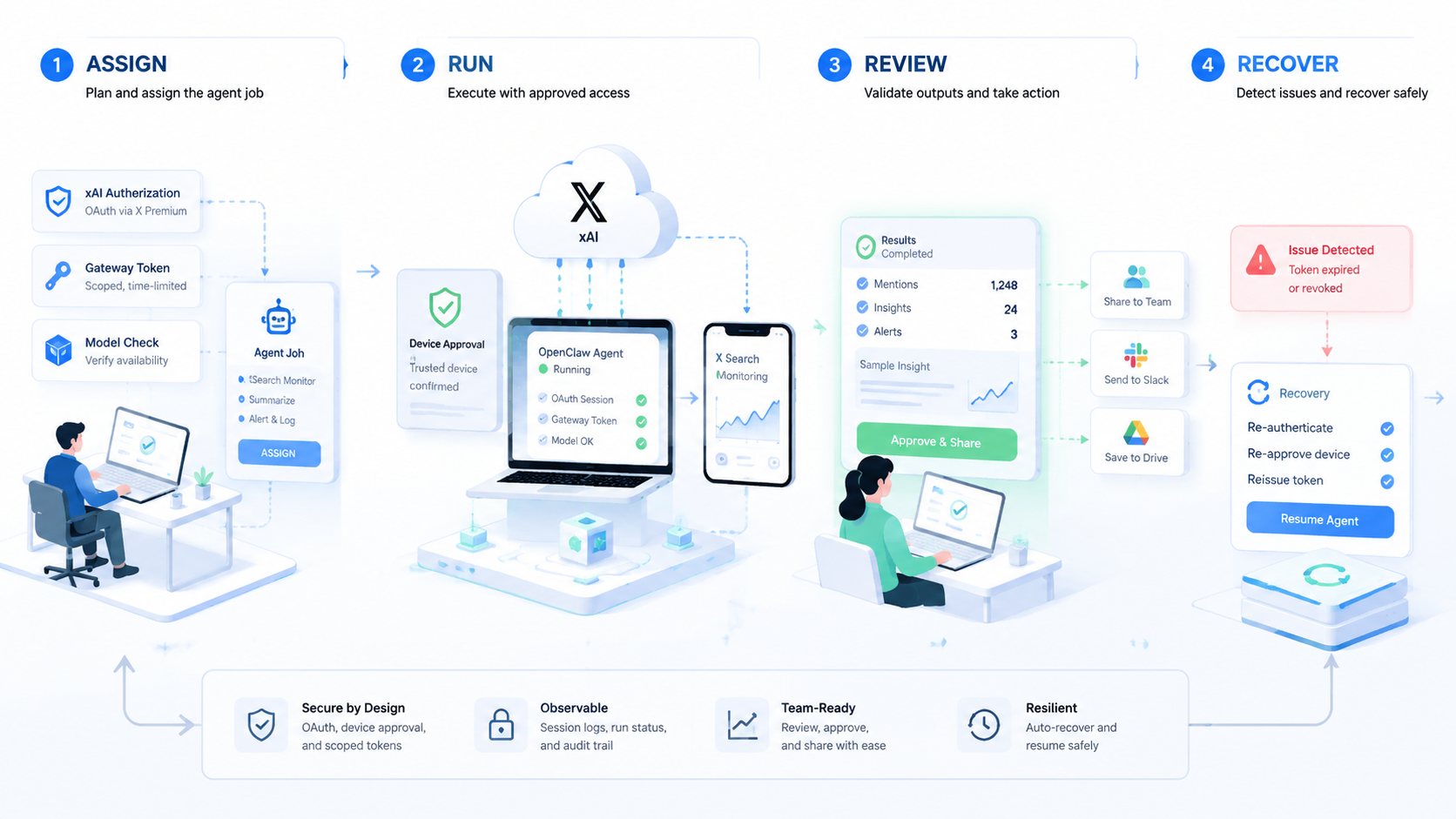
The Grok OpenClaw OAuth workflow is not just a way to save API cost. It is a way to move model access into a structured agent workflow with authorization, Gateway control, device approval, model checks, and task logs.
For personal use, that removes browser switching and copy-paste work. Team use is different: it needs monitoring, research, draft generation, creative tasks, and account-specific review.
The safe path is to start with low-risk workflows like X Search monitoring. Then connect the output to account routing, device review, and human approval. That turns Grok access into a reliable workflow layer instead of a one-off local hack.